Claude animation prompts, with the videos they made
48 Claude animation prompts that creators posted with the videos Claude made from them: the 8 most liked in each of 6 categories, chosen from 746 prompts in the archive. Each card shows the video, the model the creator named and the full prompt.
Motion Design
All Motion Design videos r/ Prompt available1:00
Create a pure javascript animation. 30s-60s whimsical hand drawn collage style with appropriate audio on the topic what is the purpose of life ? Entire video should be as high of a production value…
Full prompt
Create a pure javascript animation. 30s-60s whimsical hand drawn collage style with appropriate audio on the topic what is the purpose of life ?

    Entire video should be as high of a production value as possible. Please spend your time on this, it's very important.

    Use high quality text-to-speech model for generation. You can find open router API key in .env file

    You can use any tools you can find access to and resources on the internet. You create the script, the assets, the animation, concept, everything.
    I have to go away from my computer so please work autonomously until done. Quality is paramount. Production value should be on professional level.

One more thing: max OpenRouter spend is $10 r/ Prompt available0:15
make a dynamic 15-second motion graphics video that shows what an incredible motion designer you are, like it's your showreel for a résumé. go all out.
 r/ Prompt available1:16
using only pixels directly remake a beautiful pokemon red remake … absolute pixel art perfection. keep the story exactly as pokemon red*
 𝕏 Prompt available
make a dynamic 15-second motion graphics video for SuperX that shows what an incredible motion designer you are, like it's your showreel for a resume. go all out.
 𝕏 Prompt available0:15
Used reference images, audio or other inputs.
Turn the attached image into a seamless looping GIF (~15s, 15fps) styled as a surveillance-camera "subject analysis" sequence: 1. ACQUIRE – desaturated CCTV feed with REC, camera ID, running…
Full prompt
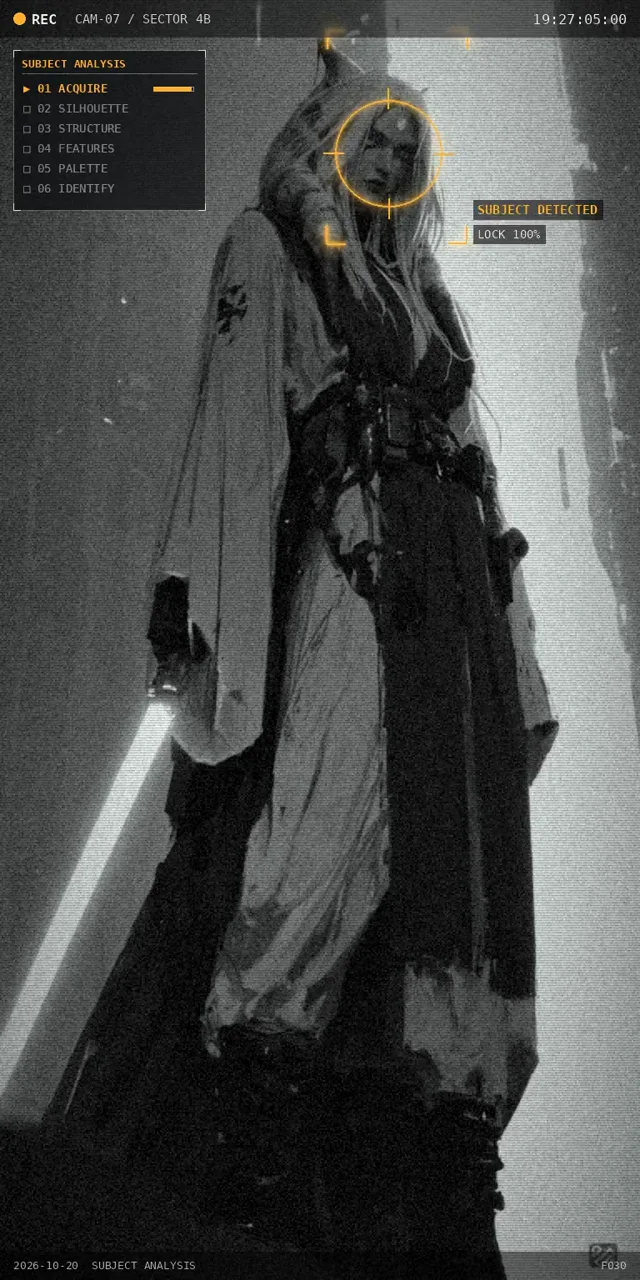
Turn the attached image into a seamless looping GIF (~15s, 15fps)
styled as a surveillance-camera "subject analysis" sequence:

1. ACQUIRE – desaturated CCTV feed with REC, camera ID, running
   timecode; a search reticle locks onto the subject.
2. SILHOUETTE – background dims to a dark grid; AI detection boxes
   (head, torso, limbs + confidence scores) pop in; a scan line
   turns the subject into a flat silhouette.
3. STRUCTURE – silhouette becomes a glowing wireframe (edges +
   triangle mesh), then a pose skeleton with joint angles.
4. FEATURES – real colors return; an "ENHANCE" zoom on the face;
   animated callouts with typed labels for 4–5 key features.
5. PALETTE – extract the 6 dominant colors (k-means); swatches fly
   from the image into a panel with hex codes and percentages.
6. IDENTIFY – "TARGET LOCKED" + ID card (class, threat level,
   match %), then a glitch back to frame 1 for a seamless loop.

Keep the original artwork intact (segment it, don't redraw it).
Minimal HUD: white + one accent color, monospace font, a stage
progress panel in the emptiest area of the frame, no text over
the face. Export GIF + MP4.
 r/ Prompt available0:30
gets you when the thing you're vibe coding isn't an app. So I gave Claude Code (Sonnet 5.5) this, in an empty folder: >make a dynamic 30-second motion graphics video about Reddit that shows what an…
Full prompt
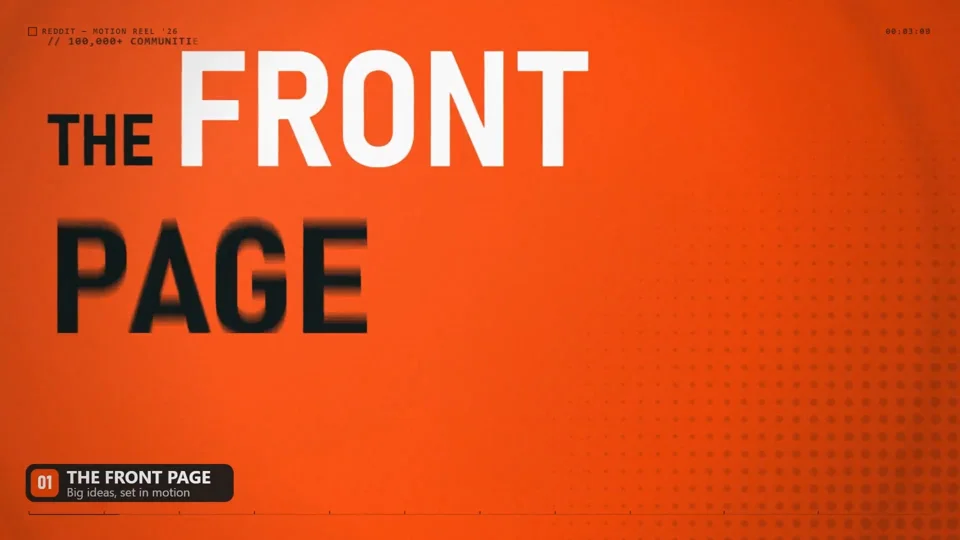
gets you when the thing you're vibe coding isn't an app. So I gave Claude Code (Sonnet 5.5) this, in an empty folder:

>make a dynamic 30-second motion graphics video about Reddit that shows what an incredible motion designer you are. and not too fast, people should actually understand what the video is about.

**What it actually is:** no After Effects, no stock footage, no video model. It's plain JS drawing on a canvas in headless Chrome, one frame at a time, piped into ffmpeg. The music is synthesized in numpy. One timing file drives both the visuals and the audio, so every slam on screen has a hit in the sound.

**What worked (stuff you can steal):**

* **Make it look at its own output.** After every change it rendered a contact sheet of frames and read the image. That's how it caught things like a word that never appeared because of a math bug, and text running off the screen. Without that loop I'd have been the one finding all of that.
* **One source of truth for timing.** A single `sync.js` for beats and impacts. Change a number and the visuals and the sound move together.
* **Parallel agents, one file each.** For the 30 s version it spun up 5 builders (one per shot), then 5 independent reviewers who weren't allowed to edit, then fixers. The reviewers found real stuff, including a bug that would have crashed the final render at one specific frame.
* **Steer in plain English.**
 𝕏 Prompt available
Bunu herhangi bir görüntü üretim modeli kullanmadan, yaratıcı olarak yapabileceğin en iyi şekilde Canvas 2D ile animasyona çevir
 r/ Prompt available4:00
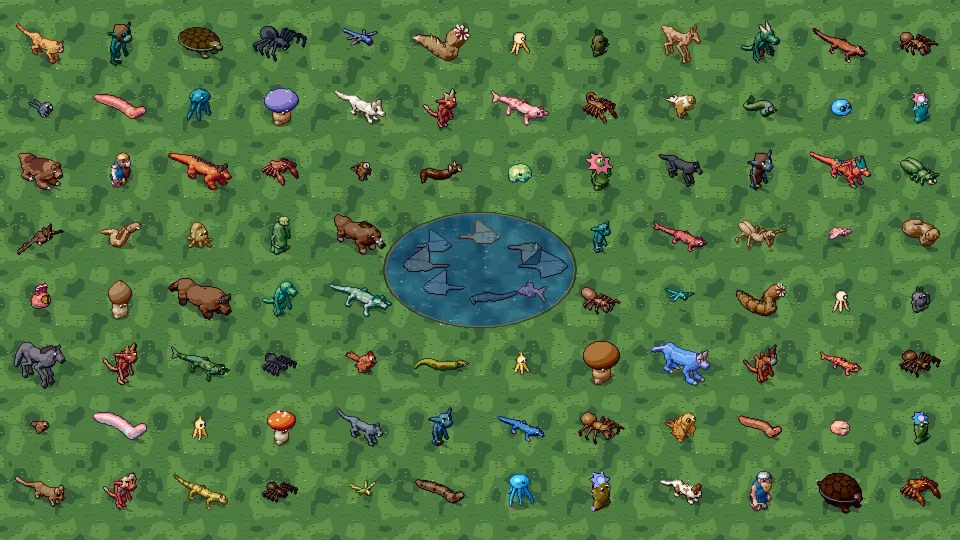
is a quality target whose achievement is judged by the delivered results and tests. Plan the implementation so that sufficient time remains for artistic refinement, animation polish, integration,…
Full prompt
is a quality target whose achievement is judged by the delivered results and tests.
    Plan the implementation so that sufficient time remains for artistic refinement, animation polish, integration, and stabilization. Do not unilaterally lower the agreed scope or quality standards to declare completion earlier. If faced with a hard environment or session limit, save a precise checkpoint and explicitly mark the result as incomplete rather than presenting it as production-ready.
    1. Context You Cannot See from the Cloud
    This description is your complete handoff context. Adopt the principle of a standalone, data-driven Godot workshop. Develop a new implementation and a custom, documented genome format for this purpose.
    Use standard Godot .NET 4.5.2 with C# / .NET 8 as your foundation and preferably the Compatibility renderer for 2D rendering. Verify the actually available tools. If a different stable Godot 4 .NET version is required, justify and pin it along with the matching SDK version. Rely on zero dependencies on Blender, Steam, a web server, or a running AI service. The finished project must be importable offline into Godot on Windows and executable via F6/F5 or the documented launch script; develop and test it in the cloud under Linux.
    2. Visual Target
    The target visual presents lively pixel creatures set in a colorful landscape of grass, trees, and water from an oblique, slightly elevated game perspective. The animals feature clearly readable body volumes, snouts, eyes, articulated legs, claws, long tails, and in some cases horns, dorsal spines, and armor plates. Dark outlines, a restrained number of cohesive shading levels, and targeted light accents give them three-dimensional depth.
    The landscape provides context; the creatures are the primary product.
    Create distinct designs with compelling silhouettes, expression, and weight. The spectrum ranges from small animals, large beasts, and monsters to humanoid beings and fantastical lifeforms. The overall impression must be carefully crafted pixel art: clean pixel clusters, deliberate shapes, and frugal details instead of random pixel noise.
3. What3D & Generative
All 3D & Generative videos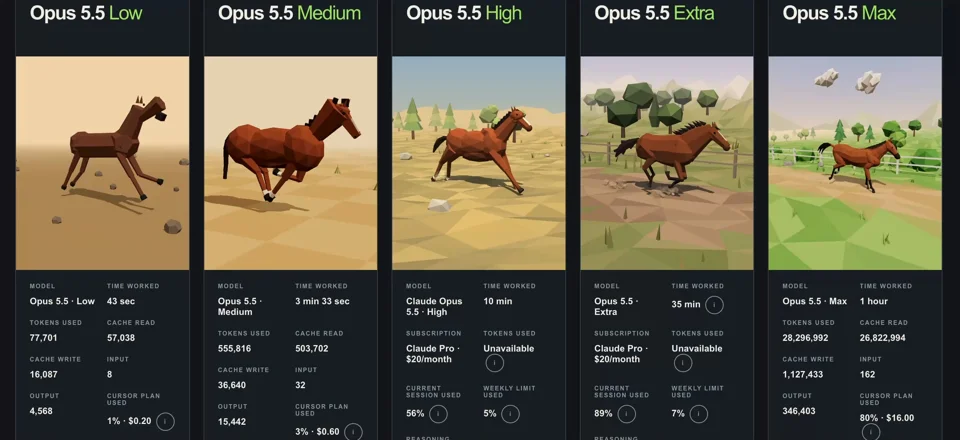 r/ Prompt available0:07
Create a low-poly 3D horse running in a seamless loop using Three.js. Build it procedurally from primitive geometry, animate the legs, body, head, and tail, and return a single self-contained HTML…
Full prompt
Create a low-poly 3D horse running in a seamless loop using Three.js. Build it procedurally from primitive geometry, animate the legs, body, head, and tail, and return a single self-contained HTML file.
 𝕏 Prompt available0:40
one short, soft whoosh per real scene change, and small clicks or pops only on real on-screen actions - screen effects for boom, hiss and length before using them, and set each one just above the…
Full prompt
one short, soft whoosh per real scene change, and small clicks or pops only on real on-screen actions
- screen effects for boom, hiss and length before using them, and set each one just above the music in its own frequency range, with a cap so nothing gets harsh
- cut every scene change on a beat
- always export a music-only version
</audio>

<critic_loop>
the builder never judges its own work.
- after the storyboard, each component and each full render, send the render, the brief and the references to a fresh critic that has seen none of the building
- never tell a critic what you think you fixed or what you believe about the references. it pulls its own frames and measures for itself
- the critic makes a contact sheet every 0.2 seconds plus dense frames around every transition, measures frozen time and loudness, and returns a ranked list of problems with timestamps, ending with ship or one more pass
- fix the biggest problem first, render, then send to a new critic that checks every previous item as fixed, partly fixed or still there, and hunts for anything new that broke
- keep a ledger of every round: what was found, what changed, and the numbers before and after
</critic_loop>

<quality_bar>
the video isn't done until all of these pass, measured:
- no more than about 1 second of frozen screen per 30 seconds, and no still stretch longer than about half a second
- frame one is a finished composition
- all text meets at least 4.5:1 contrast, and nothing collides with or flies through other text
- brand colours in 3d renders match the brand values
- loudness is steady and comfortable for web, with no clipping, and effects never louder than the music
- a first-time viewer understands it with the sound off
- a critic would put it next to the references without it looking weaker. a video with no bugs is not the same as a good video
</quality_bar>

<honesty>
- only put numbers, names and claims on screen that are in the facts file
- no invented testimonials, ratings, prices, savings, warranties or results
- anything conceptual or generated is labelled as such
- in your reports, separate what you measured from what still needs a human to watch or listen
</honesty>

<deliverables>
- the final mp4 in every size requested, at 1080p and 60 frames a second
- a music-only version
- a contact sheet of the final video
- the critic ledger and the final quality bar results
- a short note on anything a human should still check
</deliverables>
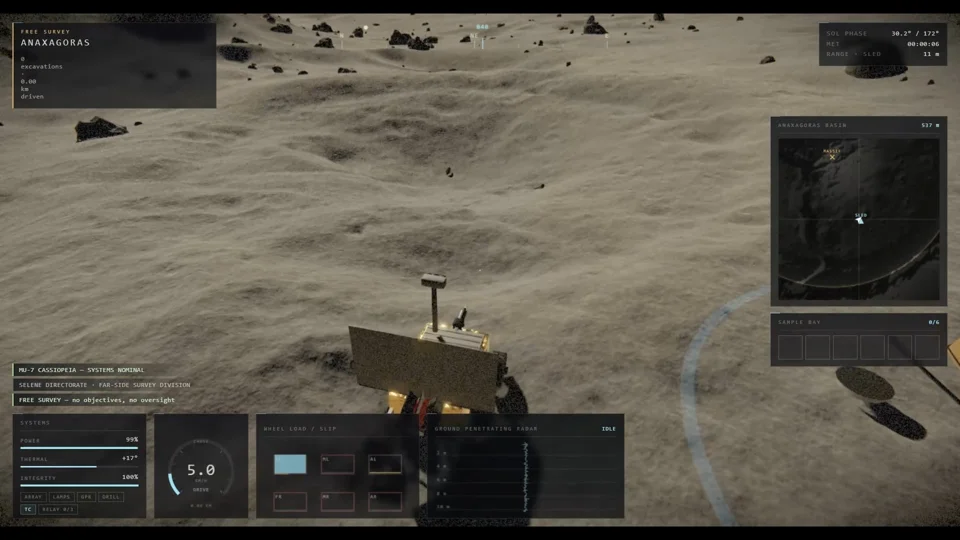 r/ Prompt available0:56
Create me a fully playable release-ready game. On GPU. Game about moon discovery with rover with gravity, moon sand and etc.. I need it in 3D and not a voxel game. Make it with maximum effort, show…
Full prompt
Create me a fully playable release-ready game. On GPU. Game about moon discovery with rover with gravity, moon sand and etc.. I need it in 3D and not a voxel game. Make it with maximum effort, show me best what you can create. Use all your power, knowledge and make best graphics and best game design. Surprise me with graphics, lore and everything.
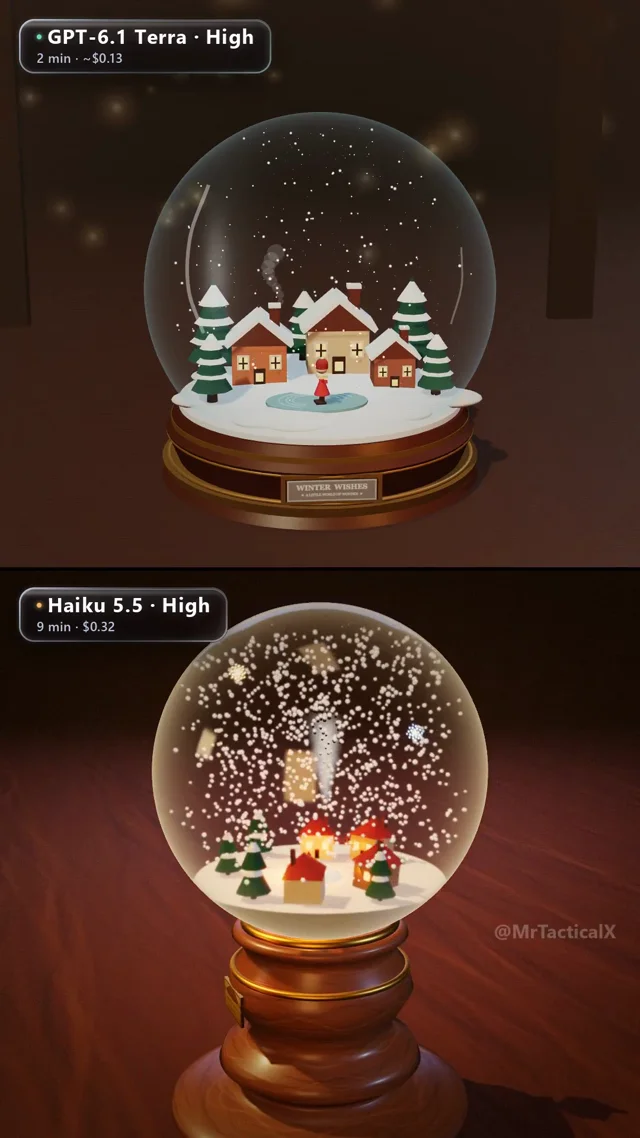 𝕏 Prompt available0:20
build a 3D snow globe in code (three.js) with a tiny winter village inside, glass, snow and a shake. Top: GPT-6.1 Terra (2 min, ~$0.13) Bottom: Haiku 5.5 (9 min, ~$0.32) Which one did better?
 r/ Prompt available1:00
Create an interactive 3D scene of a matte black cosmetic serum bottle with a gold cap on a soft gradient background. Studio lighting with a key light upper left and a subtle rim light. Slow…
Full prompt
Create an interactive 3D scene of a matte black cosmetic serum bottle with a gold cap on a soft gradient background. Studio lighting with a key light upper left and a subtle rim light. Slow auto-rotation. Floating shadow beneath. Minimal, luxurious, Apple-style presentation.
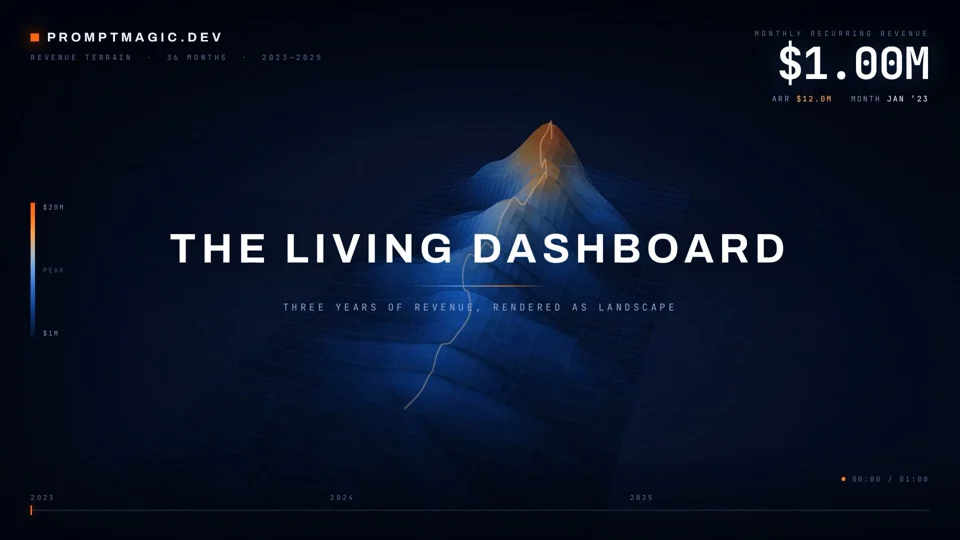
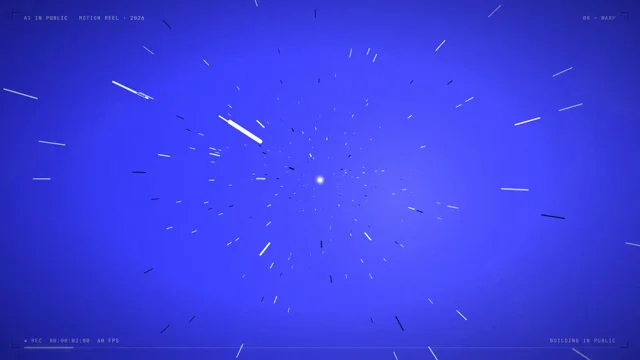 𝕏 Prompt available0:24
A 24-second AI In Public motion reel in Remotion at 1920×1080, 60fps. Use our blue # 3D40FE, white, navy, and ice palette with the AI In Public logo and sparkle. Keep it fast, premium, and smooth…
Full prompt
A 24-second AI In Public motion reel in Remotion at 1920×1080, 60fps. Use our blue # 3D40FE, white, navy, and ice palette with the AI In Public logo and sparkle. Keep it fast, premium, and smooth with motion blur, glow, camera hits, HUD details, seamless transitions, kinetic type, terminal UI, neural visuals, particles, and a cinematic logo finale. Generate all suspenseful music and sound effects in code and sync every hit perfectly. End with “AI IN PUBLIC, learning AI, out loud.
 𝕏 Prompt available1:19
make a creative music video with dancing or a story, entirely in motion graphics. No shot list or technical instructions. It built this using only Three.js and Canvas 2D.
 𝕏 Prompt available0:20
Add Remotion's Three.js package and the React Three postprocessing library to my Remotion project. Rebuild the hero scene in real 3D: my app screens as floating panels around a phone, a slow camera…
Full prompt
Add Remotion's Three.js package and the React Three postprocessing library to my Remotion project. Rebuild the hero scene in real 3D: my app screens as floating panels around a phone, a slow camera orbit, a soft key light and a violet rim light. Add bloom on the bright parts, light chromatic aberration and film grain. Use Remotion's seeded random() so every frame renders the same. Keep all timings in one config file."

two things that save you an hour:

→ render with gl set to "angle". the Remotion docs say Three.js doesn't work with the default OpenGL renderer
→ 3D renders slower. preview at --scale=0.5 before the full render

everything in this video is rendered from code. no Blender, no After Effects.

full workflow in the article ↓
Short Film
All Short Film videos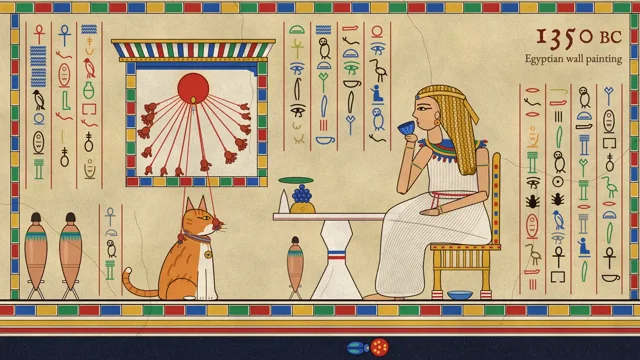 𝕏 Prompt available0:41
Use huashu-art-motion to make me a 15-second animation. The skill's docs are in Chinese; read them and talk to me in English. 1. First check for uv, ffmpeg and Playwright Chromium, and tell me how…
Full prompt
Use huashu-art-motion to make me a 15-second animation. The skill's docs are in Chinese; read them and talk to me in English.
1. First check for uv, ffmpeg and Playwright Chromium, and tell me how to install anything that's missing.
2. Ask me what it's about, who it's for, and whether it's landscape or portrait. From the material layer in references/风格配方/INDEX.md, pick 3 styles that fit, three-star ones first. Redesign the composition for my subject in all three, each different from the others, and don't copy the room from the samples. Show me one still frame of each to choose from.
3. Once I pick, give each scene one main action plus two motif loops from that style's card. For Van Gogh, that's the starry sky curling into swirls and the lamp's halo spreading outward. If there's music, use the skill's BPM synthesis and put the motion on the beat.
4. If people need to appear, ask me first: my own character art, frames from an image model, or only hands and figures seen from behind.
5. After rendering, follow the skill's own QA steps: run its QA script first, then send a subagent that took no part in making it to watch only the finished film and find problems, have it write its findings into the 审片/ folder, and deliver with its delivery script. If anything comes up red, fix it and re-render before giving it to me.
 r/ Prompt available0:40
Build me some knight sprites which I can use in my new medieval 2D isometric game. The game doesn't exist yet I am starting with sprites - this is the first thing we are building.* Done with Claude…
Full prompt
**

*Build me some knight sprites which I can use in my new medieval 2D isometric game. The game doesn't exist yet I am starting with sprites - this is the first thing we are building.*

Done with Claude Code CLI.
 r/ Prompt available0:28
for your own title) Build a 30-second procedural animation in a risograph-print style, as ONE self-contained index.html (Canvas 2D, no libraries, no network fonts, no images, no assets of any kind —…
Full prompt
for your own title)

    Build a 30-second procedural animation in a risograph-print style, as ONE self-contained index.html (Canvas 2D, no libraries, no network fonts, no images, no assets of any kind — every pixel is drawn by code). Make the finished animation, not a demo of techniques.

    The idea
    A lone ink dot calls out into the world with ripples, and everything that resonates answers back — bells, wolves, whales, radios, fireworks. It collects them as memories, but alone they fade to blue. Then a second dot, pink, answers from off-screen. Call and response. Where their ripples meet, a flower blooms, the world is reprinted in their two inks, and we pull back to a universe full of pairs. It ends on a hand-lettered signature.

    The spine of the whole piece: a small indigo dot pinned to the exact centre of the frame, and concentric ripple rings coming out of it. Every scene, every transition and every camera move is organised around that dot. It never drifts during Acts I–III.

    Format
    Square 720×720 canvas (internally render at devicePixelRatio), 28.0 s, time-based (not frame-based).
Warm cream paper background in all 𝕏 Prompt available3:50
I want you to imagine a story. And then using threejs I want you to create full animation, Pixar-level quality 90s cartoon out of the story you imagine.
 r/ Prompt available1:14
Showing off your ability to storyboard, illustrate, motion design, graphic design, use any tools you need to answer the question in a 60s video "What is the point to life?" First video was exactly…
Full prompt
Showing off your ability to storyboard, illustrate, motion design, graphic design, use any tools you need to answer the question in a 60s video "What is the point to life?"

First video was exactly this, but it was so fast that some of the text was hard to read. So I asked it to just slow it down a bit. I think it just took the mp4 and stretched it out. End result is a readable video at 1:14, but the music sounds odd at a couple points.

Anyway, I found this video to be ridiculously beautiful. It's hard to imagine it was a basically an algorithm that put this together.
 r/ Prompt available0:20
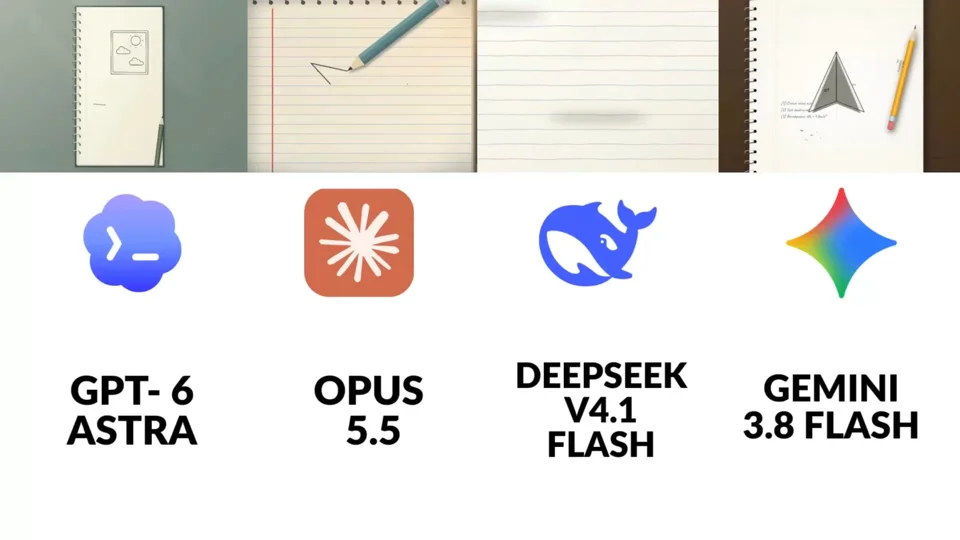
Make a short animation featuring a paper airplane. In my opinion Opus 5.5 totally destroys all the other AI models in every aspect. What do you think?
 𝕏 Prompt available0:20
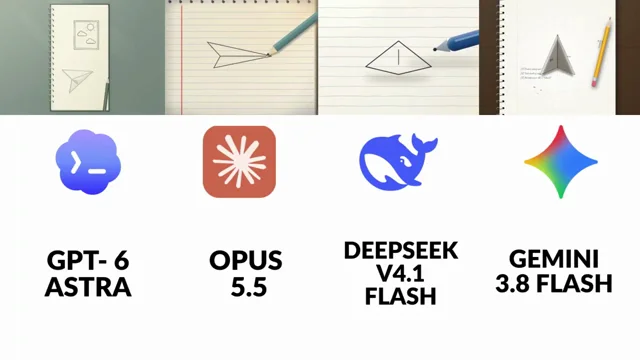
Make a short animation featuring a paper airplane.” Opus 5.5 is easily my favorite out of all of them. The difference is pretty obvious to me. Which one do you think did it best?
 r/ Prompt available0:34
I've included Louder than alarms.wav, which is the final song. It's called "Louder Than Alarms". The lyrics are in Lyrics.txt The song is basically about building the next generation of AI and this…
Full prompt
I've included Louder than alarms.wav, which is the final song. It's called "Louder Than Alarms". The lyrics are in Lyrics.txt The song is basically about building the next generation of AI and this weird pursuit of something we're not even sure we understand. There's excitement in it, but also dread. We're building the thing, pushing it forward, almost compulsively, while somewhere underneath there's this feeling that maybe we're crossing into something we won't be able to fully explain or control. I want you to take the whole thing end to end and make the music video. Don't just give me a storyboard or a treatment. I want you to actually think through the song, its structure, the lyrics, the pacing, the visual language, generate what needs to be generated, build the motion system around it and assemble the final piece using the exact audio track I gave you. Final format is 16:9. The visual language is already defined. I'm calling it Weak Signal. Before you start designing anything, go through every one of the 20 images inside the refes/ folder of the AI-Slop project. Those are the ground truth. Don't treat them as loose inspiration and then drift into generic AI-video aesthetics. Study them properly and figure out what actually makes them feel related. The basic idea is a near-monochrome nocturnal world where the human being keeps getting reconstructed by the medium itself. Bodies don't just appear on camera, they turn into dithering, scanlines, ASCII, point clouds, data, compression errors. Faces are rarely clean faces. A person is usually tiny against something much bigger than them. Architecture feels empty, wet, brutalist, foggy. Sometimes the thing looking back at us is an eye. Sometimes it's text. Sometimes it's the system itself. A few of the references are especially important because they define families of images I want to keep returning to. Images 8, 10, 12, 13, 16 and 17 are probably the core: bodies reconstructed through 1-bit dithering, ASCII, line scans, smearing, point clouds, VHS/datamosh, pixel sorting. References 1, 6 and 11 are about system messages and text becoming part of the world: things like "What have you done?" filling a terminal, "YOU ARE DREAMING.", "YOU HAVEN'T COME THIS FAR FOR NOTHING." The text isn't just graphic design over the footage. It should feel like something inside the world is addressing you. Then there's the watching-eye family in 2, 7 and 20: enormous eyes, engraved eyes, corrupted eyes, molten eyes. Surveillance, awareness, something waking up. References 5 and 9 are useful for the architecture: grey brutalist spaces where there's only one saturated source of light. 14, 15, 18 and 19 are more like data cartography, topographic contours, coordinates, strange maps, orbital diagrams, macro imagery. I think those are really useful as inner landscapes and transitions. And 4 and 7 have that intervened-classical-art thing which I love because it introduces a little satire and absurdity without turning the video into comedy. Old paintings or engravings interrupted by some contemporary technological object or impossible intervention. Reference 3, the figure against the wall of code, is almost too literal. It's useful as a starting point, but I absolutely don't want this to become "Matrix code = AI". That's exactly the generic shit I'm trying to avoid. Keep the palette extremely restrained. Something like 80–90% crushed black, graphite, dark blue, basically #07080C / #0B1420 territory. Every shot can have one real saturated accent and only one: signal red, Klein blue, neon magenta, UV violet, phosphor green, molten orange. If there's iridescent rainbow/oil-slick color, save it for an actual rupture. I want it to mean something when it happens. should almost always come from one motivated source: a screen, a sign, a doorway, a window, something like that. Fog, wet surfaces, reflections, no generic fill light making everything readable. Humans should mostly be silhouettes, backs of heads, distant bodies or bodies reconstructed through whatever visual process is happening. If we do see a face clearly, something should be wrong with it: the eyes are replaced, the mouth is intervened, the image is breaking apart. Nothing should look clean. Grain, sensor noise, cracked surfaces, scanlines, crosshatching, compression, dirty blacks. I want every frame to feel like it physically exists on some damaged substrate instead of being pristine digital concept art. Composition-wise I want a lot of negative space. Low angles. Tiny people against huge systems. Centered or slightly offset figures. Macros with really shallow focus. Typography is terminal monospace, brutal signage, HUD microtext, coordinates, system output. Short phrases. Second person works incredibly well because it makes it feel like whatever is inside this world is talking directly to us. Please actively avoid the usual AI visual slop: colorful cyberpunk with seven neon colors in the same frame, glossy sci-fi hallways, clean plastic 3D skin, HDR, generic lens flares, warm cinematic sunset lighting, front-facing beautiful people staring into the camera, Pixar-ish 3D characters, literal Matrix code rain. If it looks like a Midjourney prompt people have seen 500 times, throw it away. thing I do want you to lean into is the fact that some of the references themselves have obvious AI artifacts. The fake almost-readable text, hands that become lines, surfaces that don't fully resolve, forms disintegrating into particles. Don't treat those as mistakes to hide. Treat them as part of the grammar. The difference is that they need to feel intentional. The viewer should feel like the image is losing the ability to remain an image. I think degradation can actually become the narrative arc of the whole video. Start in something closer to a real nocturnal photographic or painterly world and progressively lose it. Maybe we move through dither, ASCII, scanlines, point clouds, datamosh, whatever makes sense according to the actual structure of the song. Don't follow that order blindly — listen to the track and decide where each stage belongs. But I really like the idea that by the climax the representation itself is breaking. That's probably where the iridescent rupture belongs. And then after everything peaks, maybe the whole world collapses back to 1-bit monochrome or a terminal. Please actually analyze the song before doing this. Map the sections, energy changes, transitions, important lyrics, drops, moments where visual density should rise or disappear. I don't want a sequence of cool disconnected AI shots. Everything needs to feel directed. can go through the full /asic folder too. There's other work I've already done in there and I want you to understand the visual and technical context instead of solving this in isolation. Use the mesh skill to look at the reference compendium I've collected. Use the video scoring skill too, especially to understand how the existing JavaScript music/motion workflows work from references. I don't think the song itself needs to be modified, but I want you to understand those systems so you can use them creatively. There is also ElevenLabs available for sound design. The main music track stays exactly as it is, but if subtle sound design helps transitions or the opening/ending — electrical hum, tape noise, signal interference, glitches, machine texture — you can use it. Feel free to use the internet. In fact, do. Look at current motion-design work, JavaScript/WebGL experiments, title sequences, music videos, K-pop editing, kinetic typography, interactive graphics, generative art, whatever is actually useful. I'm not attached to a specific stack. I care about the output. For generated imagery/video, use the Magnific MCP tools. Before spending anything, check account_balance, then use simulate_cost before batches. The budget is 30k Magnific credits. Don't waste credits brute-forcing garbage, but also don't be so conservative that the piece suffers. Before generating, read Magnific's guides and inspect the actual models that are currently available: guides_list, guides_get, images_models_list, images_models_settings, video_models_list, video_models_show. Don't assume you already know which model is best. Test. For video, I care about believable body motion, physics and character consistency. If Seedance or another model supports audio conditioning/lip sync and it's genuinely the best option, use it. Follow the instruction fields the tools return. Wait for generations properly with creations_wait, and when chaining operations use the creation IDs rather than grabbing random web URLs. Before building scenes, make the visual system reusable. Upload the strongest reference images and create a Weak Signal style asset in the Magnific library. Generate some test frames with it and actually compare them to the reference board. If they don't belong next to those references, iterate. Don't start producing 30 scenes from a mediocre style lock. I want a written style sheet too, because once you figure out exactly what makes the look work we should be able to use that consistently throughout the video. Then design the protagonist. I don't need some over-designed sci-fi hero. The silhouette is much more important than costume details because this character needs to survive being reduced into dither, ASCII, scanlines and point clouds. Most of the time we'll probably see them from behind, as a silhouette, or reconstructed through the medium. Make them instantly readable even at low resolution. Save the character as a reusable library asset so they stay consistent. Supporting people can exist too, but don't turn this into dancers performing choreography. I'm thinking isolated figures, crowds behaving like data, people standing completely still, maybe engineers/operators becoming indistinguishable from terminal output. And I want the eye / watcher to recur enough that it almost becomes another character. the same with the environments. Build a few spaces that belong to the same world rather than making a completely new universe every eight seconds: foggy roads with a neon sign disappearing in the distance, brutalist apartment blocks and stairwells, terminal/server rooms, strange topographic landscapes, maybe a dark empty lab, intervened classical paintings. Save the important sets as location assets so we can return to them and the video gains continuity. From there, generate the video bases. Think of them like footage we're going to rotoscope later, not the final aesthetic. The important things at this stage are motion, camera, blocking, performance, silhouettes, physics and continuity. Pass the style, character and location references, use keyframes when they matter and include the actual lyric context for the individual scene. The protagonist doesn't need to visibly sing every word. This should behave like a real music video. Sometimes we see the character delivering a key line, sometimes they're just moving through the world, sometimes the entire shot is an insert with no human being at all. For the lyrics where seeing someone perform the line would actually make it hit harder, try to get the sync right. Cut the exact relevant section of the song and feed that audio to the video model if it supports audio conditioning. If the best model can't do that, use video_speak or whatever workflow gets us closest. Verify it. Extract frames, analyze clips, compare timing with the waveform/lyrics. If the mouth is obviously wrong or the timing feels fake, regenerate it. Don't just accept the first thing because technically it completed. Then assemble the base edit with video_cut / video_concatenate as needed. But this base edit is not the finished video. The part I care about most is what comes after it: I want to use the generated footage essentially like live-action footage for rotoscoping. Build the final visual treatment in JavaScript. Reconstruct the shots from the footage and render them
Product & UI
All Product & UI videos 𝕏 Prompt available
Order: one black shape keeps changing: Ordered ✓ → Printing % → On its way (a van on a route) → Delivered ✓. Wall: the delivered circle expands until black fills the frame, holds for one beat, then…
Full prompt
.
Order: one black shape keeps changing: Ordered ✓ → Printing % → On its way (a van on a route) → Delivered ✓.
Wall: the delivered circle expands until black fills the frame, holds for one beat, then shrinks into the framed print hanging in the real wall footage. The same iris opens onto the print and closes again. The frame fills the screen, contracts into the pill → the dot → the letters spring back out on the returning beat. Last frame = first frame.
</structure>

<build>
1. One HTML file, square 1440x1440. Compute every style from time inside an async seek(t): no CSS transitions, timers or state carried between frames.
2. Use closed-form step responses for springs. When a value has multiple targets, add one spring per change so it remains a pure function of time.
3. Liquid glass: each glass element keeps its own clone of the scene behind it. Filter that clone with an SVG feImage displacement map (a rounded-rect distance field) through three feDisplacementMaps at slightly different scales for chromatic edges, then add a rim light. For glass letters, use a canvas distance field per glyph to create the map, mask and highlights.
4. Goo: apply blur and an alpha threshold, then composite the source on top so the glass stays sharp inside.
5. Iris: place 6 blades around a hexagonal aperture. Each blade uses its two vertices, both edge extensions and the SHORT arc between them.
6. Wordmark squeeze: move every letter toward the dot by the same factor and adjust its drawn width to match (narrow the wdth axis, scale the rest), keeping the letters in contact.
7. Footage: re-encode it all-intra (ffmpeg -g 1), load it as a blob URL and await
 𝕏 Prompt available0:22
Light emotion tags only: [softly] on the quiet lines, [excited] on the [Verb] line. The opener gets no tag and a plain full stop. </script> <voice> Call the ElevenLabs API directly with my key, no…
Full prompt
Light emotion tags only: [softly] on the quiet lines, [excited] on the [Verb] line. The opener gets no tag and a plain full stop.
</script>

<voice>
Call the ElevenLabs API directly with my key, no MCP. Generate 4 takes of the whole script in one read and let me pick. If one line is off, regenerate only that line 4 times and splice the best one into my take.
Cut every pause over 0.28s down to 0.2s, then level each phrase 85% of the way to the median level, changing gain only inside the pauses.
For word timings, cut the read at every pause of 100ms or more, transcribe each chunk on its own with Whisper and pin each chunk's first word to its measured onset. One Whisper pass puts words up to half a second late.
</voice>

<direction>
A 22 second square launch film, 1440x1440 at 60fps, in the style of an AI lab's launch: a white page, one typeface, black ink, real images, and every caption typed word by word at the exact moment it's spoken.
Every control (the prompt bar, the settings panel, the caption pill) is liquid glass: the scene behind it frosted, its edge bending that scene like thick glass, a top sheen, a bright rim and a soft lift shadow. Glass on plain white shows nothing, so put a slow pastel aura in my brand colours, or a blurred wash of the photo, behind it.
The one word she stresses types in a gradient of my brand colours with a faint glow behind it.
Motion rules: the camera always drifts (a 1.0 to 1.04 push per scene, and when one scene hands its content to the next, the next starts at the zoom the last one ended on), nothing pops in (fades of at least 0.3s, eased), images switch on 16th notes with a click each, scene changes land on phrase starts, and the music's drop lands on the [Verb] line. No full stops on screen.
Banned: selection-box highlights, beat-snapped slams, white flashes, 3D, templates.
</direction>

<structure>
Seven scenes, each hung on the voice:
1.
 𝕏 Prompt available0:08
to-website reveal, 1920x1080 at 30fps (226 frames), one continuous take: a prompt types, the send button is pressed, and the box itself becomes the finished landing page. Look: blue-graded sky…
Full prompt
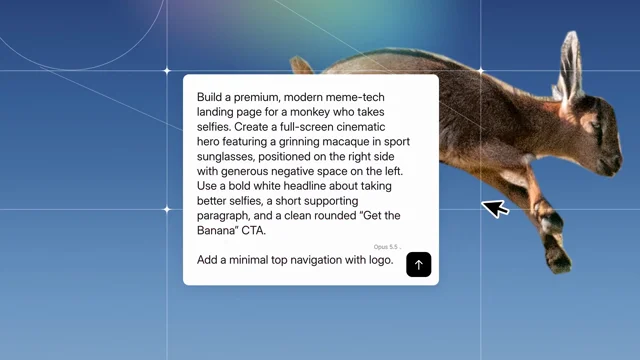
to-website reveal, 1920x1080 at 30fps (226 frames), one continuous take: a prompt types, the send button is pressed, and the box itself becomes the finished landing page.
Look: blue-graded sky #294376→#769cc2 with thin white line graphics (two circles, two horizontal and two vertical lines, two diagonals, 4-point sparkles at the crossings, a blurred violet→yellow→teal rainbow glow top-right, light film grain). The background subject is a crisp, opaque, full-colour cut-out (hand-traced mask, 2–3 px feather) on the right. White prompt box, radius 18, soft shadow; Inter 34.8px/44.4px #121212; black send button with a white arrow; a grey "Opus 5.5 ⌄" label beside it. Freshly typed characters arrive indigo #24249a, pass through blue and maroon, and settle to #121212 over ~13 frames.
Page: full-bleed hero with the subject cut out on the right over a steel-blue sky #3b5876→#75a2c4, and a horizontal motion-blur smear of the subject trailing left. White Inter UI: logo top-left, nav Features/Pricing/FAQ/Download, an outline pill top-right, bold 63px headline, 23px paragraph, white pill CTA, three muted feature rows with icons, three muted wordmarks bottom-left.
Default page copy: logo "Monke"; pill "Made with Claude Opus 5.5"; headline "Smile Harder. Selfie / Smarter, Week by Week"; paragraph "Monke tracks grins, bananas, selfies and naps—then turns every photo into clear, motivating progress you'll actually feel."; CTA "Get the Banana"; features "Grin zones (Z1–Z5 time & trends)", "Banana scores (coach-ready)", "Auto-sync from any camera you steal"; wordmarks BANANA CO. / JUNGLE / OPUS 5.5. Give the monkey white shield sport sunglasses with a mirrored lens (yellow→orange→red→magenta→orange→yellow, vertical streaks, top highlight, drop shadow) along his eye line (25° tilt).
Banned: crossfades between scenes, stock UI kits, glows on the text, anything that looks like a template.
</direction>

<structure>
Default prompt typed: "Build a premium, modern meme-tech landing page for a monkey who takes selfies. Create a full-screen cinematic hero featuring a grinning macaque in sport sunglasses, positioned on the right side with generous negative space on the left. Use a bold white headline about taking better selfies, a short supporting paragraph, and a clean rounded "Get the Banana" CTA. / Add a minimal top navigation with logo."
f0–29, type: the box starts at x884 y635 709x112 and eases out to x570 y477 778x130 (90% there by f12) while the whole scene pulls back 7%. Typing starts on f4 with a real keystroke rhythm, reaches 30 characters by f26, then stalls. Four white selection handles hug the box corners.
f29–44, charge: a violet solarised wash floods the scene (peak f36). The box tilts back up to 12° (rotateX, peak f36), the handles fly out to the frame corners, and an ASCII field of % @ # ⨸ glyphs appears at the left and right edges. The box grows to a tall card x541–1374, y425→227. On f40–48 the rest of the prompt bursts in (about 50 characters per frame) and fills ~12 lines.
f48–63, settle: the tall card lands at x575 y227 766x626. The camera eases back toward the subject. A black cursor appears on f55 at (1455,595), pointing up-left, and grows to 112 px.
f64–96, press: hard cut to a 3.19x zoom on the send button (75 px becomes 239 px on screen), a pale pink wash across the top. The cursor swings in from the right (f64–68) and glides to the button (f68–80). Press f80–86: the cursor squashes to 0.9, the button inflates 12% and flashes Claude terracotta #D97757, and the box edge bulges under it. f93–96 the frame blurs 6 px under a lavender veil.
f97–120, reveal: wide shot. The page's hero photo zooms slowly behind (1.1% per frame). The box (763x596) drops from y60 to y245 with an ease-out, settled by f110. On f106–110 it turns grey, then goes dark from the bottom while a cyan band sweeps down through it (f111–121), wiping the text away.
f121–145, morph: the box grows into the page, from x576 y245 763x596 to full frame on a fast ease-out (half the distance by f127, full by f145). Its fill is glass: a dark veil at the top, a cyan→white band sweeping down and out, white fading away. Every page element slides from inside the box to its final place on one progress curve (50% at f130, 90% at f147, done at f161). The headline types two lines at once from f122 to f158.
f161–224, pull back: the page shrinks around its centre onto a flat #dddddd background, from 1920 px wide to 1344 px (1634 by f173, 1404 by f190, 1344 by f214). The hero's motion blur strengthens as it goes. f225 is black.
</structure>

<build>
1. One HTML file, 1920x1080, rendered from seek(t). Every style is a pure function of the frame: no CSS transitions, no timers, no Math.random. Use seeded hashes.
2. Animate with keyframe tables, kf(frame, [[f, value], ...], ease), interpolating numbers or arrays. Every move above is a table of these keyframes.
3. Cut-outs are SVG masks from hand-traced polygons with a 2–3 px Gaussian feather. The motion-blur smear is a scaleX-stretched copy through an SVG horizontal blur (feGaussianBlur stdDeviation="40 0").
4. The press, the grey-to-dark box and the glass card are layered linear gradients whose stop positions are driven by the band value.
5. Sound: no voice.
   - Music: cut Voxscape so its first bass step lands at 1.72 s (source 38.76 s) and its big bass attack at 4.11 s (source 47.36 s, splice at 3.41 s).
   - Low-pass sweeps: the music dips to 400 Hz from 2.4 to 2.78 s and to 150 Hz from 3.41 to 3.58 s, reopens by 4.08, and fades out 6.6–7.5 s.
   - Synthesized sound effects: keystroke ticks on the typing (0.13–1.97 s) and on the headline (4.3–5.1 s); whooshes at 1.35, 2.18 and 3.30 s; a click at 2.78 s; a shimmer rising to 4.08 s; a sub boom at 4.09 s; a pop at 5.15 s; a settle at 6.54 s.
   - Master to -14 LUFS, true peak -1 dBTP.
6. Render with Playwright, one screenshot per frame, then encode h264 at 30 fps and mux the audio.
</build>

<gotchas>
Measure text only after the fonts load, or the words collide. The cut-out subject must be opaque and crisp; blending it into the sky makes it look like a ghost. The zoom shot is a hard cut, not a zoom animation. Keep the page content inside the card while it grows (overflow hidden), except the nav, which sits above the box early on. Frame 225 is black.
</gotchas>

<start>
Ask me for the inputs. Then show me 4 stills (f20 typing, f82 the press, f125 mid-morph, f200 the pull-back) before you render the full film.
</start>
 𝕏 Prompt available0:58
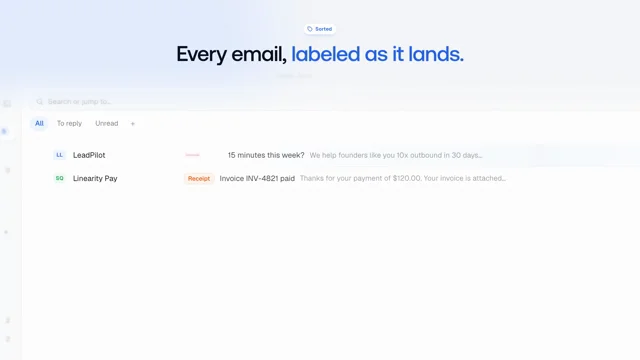
make product videos with code and AI agents Copy everything below the line into a coding agent (Claude Code, Codex, etc.). Fill in the `{{…}}` placeholders first. It describes how Inbox Zero…
Full prompt
make product videos with code and AI agents

Copy everything below the line into a coding agent (Claude Code, Codex, etc.). Fill in the `{{…}}` placeholders first. It describes how Inbox Zero produced its landing-page hero, launch films and about 15 docs and app walkthroughs, each costing well under $1 in API calls.

---

You are producing product videos for **{{PRODUCT}}** ({{ONE-LINE DESCRIPTION}}). The videos are a landing-page hero (~55s), short launch films (25–40s) and feature walkthroughs (45–110s) for the app and docs. They are made entirely with code: there's no screen recording and no video editor. Quality matters far more than cost.

The product's source code is at `{{APP_REPO_PATH}}` and its docs are at `{{DOCS_PATH}}`. The founder or reviewer is {{REVIEWER}}. They give taste feedback, and you turn that feedback into written rules.

## 1. Core idea

Every video is an **HTML/CSS/JS page whose every frame is a pure function of time `t`**. Headless Chrome screenshots each frame, and ffmpeg encodes them. This gives you:
- Exact, repeatable renders: a copy change means a cheap re-render, not a re-edit.
- Parallel rendering, because nothing carries over from one frame to the next.
- Real product UI, because the "footage" is real DOM captured from the running app.

Don't use Remotion or any other video framework; a ~200-line engine is enough. Don't screen-record: recordings can't be re-timed, re-worded or kept pixel-perfect.

## 2. Set up a private video repo

Create a **private** repo (e.g. `{{ORG}}/demo-video`) separate from the product repo. Its layout:

```
AGENTS.md        # read-first notes for every agent: pipeline, taste rules, mistakes made
README.md        # catalog: every video, its branch, length, status, where it's used
BRIEF.md         # product truths, fictional cast, kit API, end-card and taste rules
EXPLAINER.md     # brief for the walkthrough format
LAUNCH.md        # brief for launch films
MUX.md           # hosting IDs for every published video
engine.js        # renderAt(t), addScene, spring/easing helpers, word-by-word captions
render.mjs       # parallel Playwright frame renderer → ffmpeg
           # voice + music mix with ducking and loudness normalisation
judge.mjs        # audio judge (picks the best TTS take)
vjudge.mjs       # video judge (reviews a whole render)
         # contact sheet from sampled frames
kit/app/         # REAL app screens captured as DOM snapshots (see §3)
kit/explainer.js # overlays: step captions, callouts, highlights, camera, cursor, typing, toasts,
                 # and mocks of third-party UIs (Gmail, Outlook, Slack, …)
kit/endcard.js   # shared end card
music/           # shared music bed(s)
tools/           # upload scripts (hosting), helpers
```

**One branch and one git worktree per video** (`git worktree add -b explainer-foo ../demo-explainer-foo main`). `main` holds only shared things: the kit, the briefs and the tools. Merge `main` into a video branch to pick up kit fixes. Put kit fixes found while making a video in a separate commit so they can be cherry-picked to `main`.

Commit each video's web encode, poster, `.vtt` captions and a `VARIANT.md`. That file holds the script, the timings, chapter markers, the claim checks, and any docs-vs-UI discrepancies found. Git-ignore masters and intermediate files.

Keep `AGENTS.md` alive. Every time the reviewer gives feedback, or an agent makes a mistake, add a one-line rule there. This file is what makes the tenth video good on the first try.

## 3. Capture the real UI kit

1. Run the app locally with a **seeded database of fictional data**: one consistent cast (a main user plus 4–5 contacts and a fictional company), and realistic but fake emails, events and numbers. Use local emulators for third-party APIs where possible.
2. Write a capture script (Playwright) that visits each screen and state the videos need. It saves the **rendered DOM plus inlined CSS** as a standalone HTML snapshot, plus a PNG for reference. Inbox Zero ended up with ~140 states.
3. Missing states can be **derived** from the nearest snapshot by editing the DOM to match the real component's source (text, classes), never invented.
4. **Audit every snapshot for leaks** before committing: real names, emails, avatars, API keys, and the capture machine's **timezone and locale**. A real city name once leaked through a timezone picker.
5. Document the states, selectors and how to recapture in `kit/app/README.md`.

## 4. Write the script (accuracy first)

- Read the docs page and **the app source** for the feature. Every label, button and step on screen must match the product. Where the docs and the UI disagree, the UI wins; log the discrepancy in `VARIANT.md` and fix the docs afterwards. (This produced a steady stream of real docs fixes and bug reports.)
- Check claims in code, not just in the docs. For example, does feature X actually use data Y?
- Keep a list of **product truths** in `BRIEF.md`: supported platforms ("always say Gmail *and* Outlook"), trial terms, and what is early-access.
- A walkthrough has a 1–2s product payoff up front, then numbered steps (one caption each), one result shot, and a minimal end card.
- **Intro messaging** (hero and launch) must say what the product *is* in the first line. Write several candidate openers and let the reviewer pick.

## 5. Build the timeline

- `engine.js`: scenes are DOM subtrees shown and hidden with `display:none` (not `visibility`, because visible children leak through a hidden parent). All motion is computed from `t` with springs and easing.
- **Render purity is mandatory**: no ` no randomness without a seed, no state carried between frames. Workers start mid-timeline.
- Camera moves are CSS transforms on the snapshot, and so are cursor paths, typing and highlights.
- Preview live with `npx serve .`, using `?t=17` to start at 17s.

### Taste rules (start with these; add your reviewer's)
- **Openers:** light and product-native. No dark gradients, glossy fake app icons with red badges, or captions over blurred clutter. Reach the product payoff within ~2s.
- **No recaps:** never repeat earlier points in words or as a montage at the end.
- **End cards:** neat and centred, with a logo lockup, one line and a quiet URL. Landing cuts can carry one CTA (e.g. "Try free for 7 days") plus small platform marks. Never "·"-joined copy, and never a button stuffed with text.
- **Legibility:** body text ≥ 20px at 1080p, no wide shot of unreadable UI for more than ~1s, no words sliced at frame edges, and captions fully settled ≥ 0.4s before the click they describe.
- **Transitions:** no long crossfades between two busy UIs (the double exposure looks muddy). Use a cut, a camera push or a short blur-through.

## 6. Audio

- **Voiceover:** a strong TTS model with style instructions (Inbox Zero used Gemini Flash TTS through OpenRouter). Pick one voice per format. Generate **2–3 takes per line** and pick the best with an audio-capable model (`judge.mjs`): it scores pacing, mispronunciations, odd stresses and clipped endings.
- **Music:** generate one shared bed per format (Inbox Zero used Lyria). Models ignore the requested length, so detect the beat grid (librosa) and cut or loop at phrase boundaries.
- **Mix (` duck the music under the voice with a sidechain, then do two loudnorm passes to −14 LUFS and −1.2 dBTP.
- Agents can't listen. Flag music endings and loop points for a human ear-check.

## 7. Render

- `render.mjs` splits frames across N Playwright workers. Each one loads the page, sets `t` and screenshots. ffmpeg then encodes a high-quality master (CRF ~12) and a web copy (CRF ~20).
- Add a screenshot timeout and retry (e.g. 120s, 5 tries); long renders hit flaky frames.
- Support env vars to render a sub-range or a single segment, so fixes don't need a full render.
- **On a shared machine:** cap workers (e.g. 3 per agent) and only stop your own processes by PID. Never `pkill -f render.mjs`: it kills other agents' jobs.

## 8. Review before showing anyone

- Sample frames into 2×2 contact sheets and **look at them yourself**, zooming in on captions, edges and data. This is the main review.
- Use a video-capable model (`vjudge.mjs`, Gemini Flash) for whole-video checks like timing and caption order, but **treat its output as hints**. Video and audio judges hallucinate problems, so verify every claim against frames.
- Check: claims match the code, the fictional cast only, no leaks, the legibility rules, the end card.
- Show the reviewer the finished mp4s (open the folder for them) along with the `VARIANT.md` discrepancy list.

## 9. Work in parallel with subagents

- Once the kit and briefs exist, give **one subagent per video**. Each gets its own worktree and branch, the brief, the relevant docs page, and the instruction to read `AGENTS.md` first.
- Each subagent writes the script, builds, renders, reviews and reports back with the mp4 path and the discrepancies found.
- The coordinator merges kit fixes into `main`, uploads, and integrates the videos into the app and docs.

## 10. Publish

- **Hosting:** use Mux (or similar) rather than YouTube embeds. You get a clean player, no recommendations and auto-subtitles. The upload script sets a public playback policy and generated English captions, and records each ID in `MUX.md`. Pass API tokens via env vars and never commit them.
- **In the app:** a feature-page video button or dismissible card. **Lazy-load the player** (`next/dynamic`, `ssr:false`) so it only loads when the dialog opens and adds nothing to the page bundle.
- **Docs:** a lazy `<iframe src=" loading="lazy">` at 16:9.
- **Landing hero:** track `video clicked / started / progress / completed / closed` with a `video_id`. Don't A/B test the hero video: only the ~10% who click can be affected, so overall-sign-up tests are underpowered. Ship the better cut and compare cuts on watch-through and viewer → sign-up by `video_id`.
- **YouTube:** the API locks uploads from unaudited projects to private, so upload in Studio and schedule one video every ~2 days. If an agent automates Studio, set text with `execCommand('insertText')`, type dates with real keystrokes, and **read every value back before clicking Schedule**.
- If the product repo is public, keep commit and PR text free of private details. If it mounts private submodules, grep them before removing any shared component.

## 11. Mistakes we already made (don't repeat them)

- Invented UI in v1, where the reviewer's first note was "show real UI". → Real DOM snapshots only.
- Claims the product doesn't make (e.g. "important emails move to the top" when they're actually labelled). → Check in code.
- Taglines the company doesn't use. → Offer options and let the reviewer pick, then record the pick.
- A real timezone leaked in a snapshot and was committed to history. → Audit before committing.
- Agents killed each other's renders with `pkill`. → Stop processes only by your own PID.
- A judge model "found" skips and glitches that weren't there. → Verify against frames.
- Removing a shared component broke production through a private submodule. → Grep it first.
- A free hosting plan capped the asset count, and the upload script swallowed the error. → Scripts must surface API errors.

## Deliverables per video

- [ ] `out/<slug>-web.mp4`, poster, `.vtt`, and chapter markers
- [ ] `VARIANT.md`: script, timings, claim checks, docs/UI discrepancies
- [ ] An entry in the `README.md` catalog, and its hosting ID in `MUX.md`
- [ ] Any new rules learned are added to `AGENTS.md` r/ Prompt available0:30
Make a dynamic 150 second motion graphics video that shows what an incredible motion design you are, like it's a showreel for a resume. go all out. you're minimalist and tasteful, but not afraid to…
Full prompt
Make a dynamic 150 second motion graphics video that shows what an incredible motion design you are, like it's a showreel for a resume. go all out. you're minimalist and tasteful, but not afraid to add a wow factor. You'll build the video for supernotchy.com product
 𝕏 Prompt available
Research (your product).Make a dynamic 40-second motion graphics video on (your product) that shows what an incredible motion designer you are. like it's your showreel - Go all out.
 𝕏 Prompt available0:32
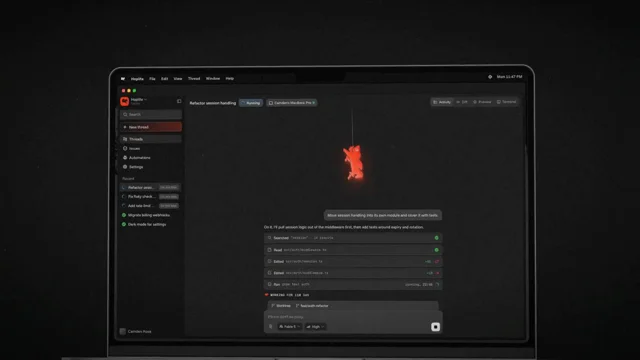
using the existing brand elements of hoplite create a feature launch video for closing your laptop with the hoplite mac app and seamlessly moving your agents to the cloud.
 r/ Prompt available0:35
/>` between beats so lines land near their marks, but do NOT trust breaks for timing: ElevenLabs stretches them. - Generate one clip per cut through the API with timestamps (`POST…
Full prompt
/>` between beats so lines land near their marks, but do NOT trust breaks for timing: ElevenLabs stretches them.
    - Generate one clip per cut through the API with timestamps (`POST /v1/text-to-speech/{voice_id}/with-timestamps`) and derive a cue sheet from the character alignment. Per line: `{ in, out, at }` where in/out index the source file and `at` is the composition time the line starts. Save as `src/vo.ts`.
    - Play each cue as its own `<Audio src startFrom={in·fps} endAt={out·fps}>` inside `<Sequence from={at·fps}>`. No re-encoding. Regenerating the voice changes only `vo.ts`.
    - Then retime the scene table in `cuts.ts` to the voice, not the other way round. Picture marks (the thing closing, the notification, the domain) land 0.3–0.6 s after the line that announces them.
    - Files go to `public/audio/vo-<Cut>.mp3`; `scripts/props.ts` detects them and sets `withAudio`. Missing files render silent.

    ## Music and SFX
You cannot produce music. [Pick one:Explainers & Education
All Explainers & Education videos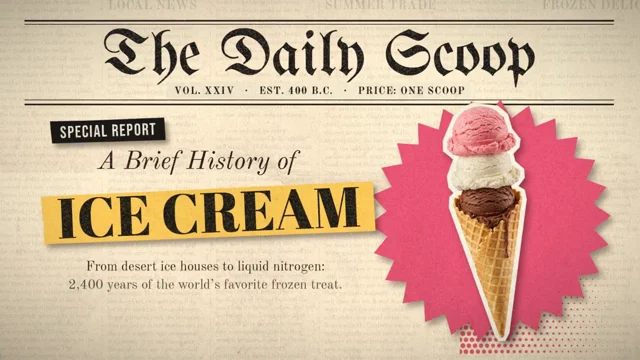 𝕏 Prompt available
Create a [60 second] motion graphic explainer video about [the history of ice cream from the inception, to present day]. All of the visual images should be handled by Runway, and all the motion…
Full prompt
Create a [60 second] motion graphic explainer video about [the history of ice cream from the inception, to present day]. All of the visual images should be handled by Runway, and all the motion graphics elements and animations should be handled by you. The art style should be [newspaper cutout / mixed media aesthetic] with a high degree of polish. This piece is for your portfolio, so make sure to make it great.
 𝕏 Prompt available0:59
Used reference images, audio or other inputs.
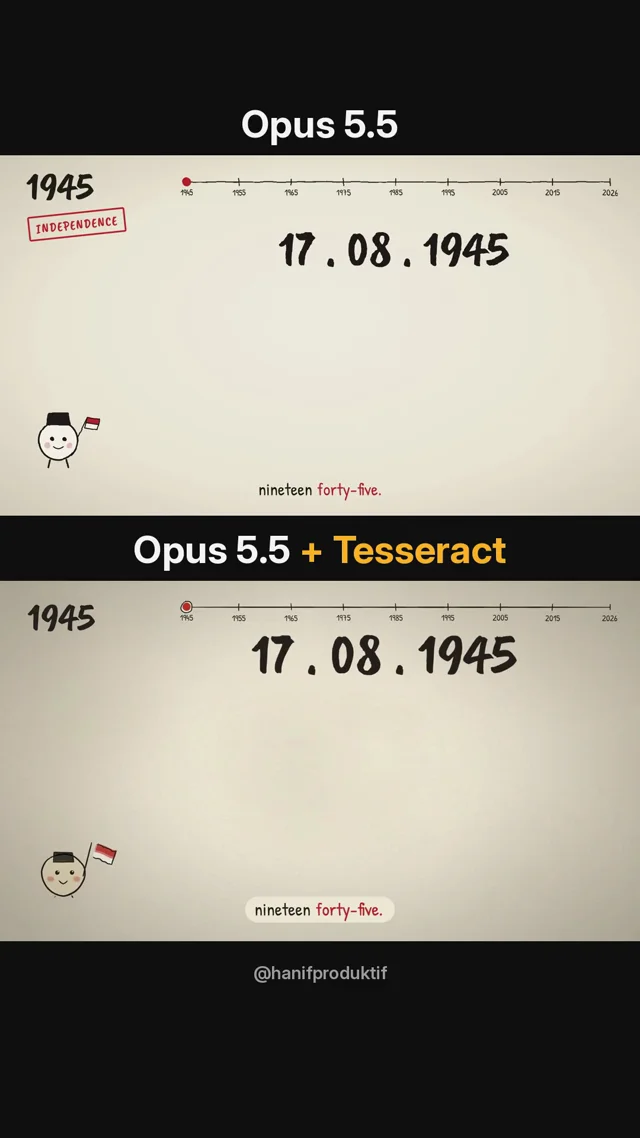
Create an animation that quickly recaps the 81 years of Indonesian history. The style should be simple, lighthearted and fun, in a line drawing animation format, with suitable music and voiceover…
Full prompt
Create an animation that quickly recaps the 81 years of Indonesian history. The style should be simple, lighthearted and fun, in a line drawing animation format, with suitable music and voiceover added. The video should be less than 1 minute"

The 2nd video made with same voiceover and prompt, but I added the Tesseract cli.

You can try it yourself with your Claude!
 r/ Prompt available0:40
The file upload to YouTube, Instagram & Facebook should look like the file being dragged and dropped onto those sites in a browser. Show a basic drag-and-drop UI element for each site matching their…
Full prompt
- The file upload to YouTube, Instagram & Facebook should look like
      the file being dragged and dropped onto those sites in a browser.
      Show a basic drag-and-drop UI element for each site matching their
      brand colors. Get the correct icons for each platform from the web.
    - Make overall scene transitions faster and slicker. Keep the whole
      thing under 40 seconds.

That’s it. Two prompts total. The second one fixed exactly what needed fixing.

**The lesson:** Don’t try to get everything right in one massive prompt. Get a working draft, watch it, note what’s off, fix those specific things. Claude Design responds well to targeted correction.

# The generic prompt you can steal for any product

    Make a 30–45 second product intro video for [YOUR PRODUCT URL].
    Scenes:
    - Scene 1: Text animation — "[One-line problem statement]"
    - Scene 2: Show the old/painful way of doing this.
      Use a browser window. Keep it simple and recognizable.
    - Scene 3: Introduce [PRODUCT NAME]. Show the core action
      (the thing the user actually does — paste URL, upload file,
      click button, etc.)
    - Scene 4: Show the product working. Progress indicator,
      loading state, or live output — whatever fits.
    - Scene 5: Show the result. File icon, dashboard, confirmation
      screen — make it feel satisfying.
    - Scene 6: Show where the result goes. Social platforms, email,
      Slack, client — wherever the output lands.
    - Scene 7: Text animation — "[Core value proposition in one line]"

    Use the look and feel of [YOUR PRODUCT URL] for all UI components.
    Colors, fonts, and style should match the site.
    Keep transitions smooth and fast-paced throughout.

Then follow up with one refinement prompt targeting anything that’s off.

To export the animation into MP4, you can use my tool - [claudevideoexport.com](http://claudevideoexport.com)
Audio was added to the video outside of any of these tools.

Edit: I turned this into a skill: [https://github.com/Gnurpreet/promo-video-script-skill](https://github.com/Gnurpreet/promo-video-script-skill)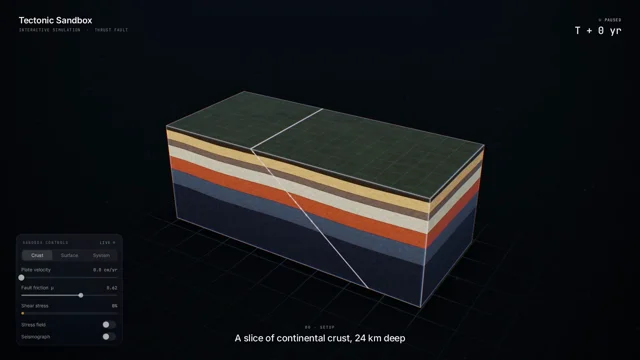 𝕏 Prompt available
Create a visually stunning 60-second video explaining how an earthquake happens through an interactive tectonic sandbox. Make it feel like we are watching someone explore a beautiful real-time…
Full prompt
Create a visually stunning 60-second video explaining how an earthquake happens through an interactive tectonic sandbox.

Make it feel like we are watching someone explore a beautiful real-time simulation, not a slideshow or traditional educational video.

Start with a clean 3D cross-section of Earth’s crust. Two tectonic plates slowly move against each other. Visualize the fault between them and show friction locking the plates while stress gradually builds.

As pressure increases, make the simulation more intense: rock layers deform, stress zones glow, subtle vibrations begin, and a live seismograph starts reacting.

Then trigger the earthquake. The fault suddenly slips and releases a massive burst of energy. Show seismic waves radiating outward through the ground, then transition upward to the surface where the landscape and a small city begin shaking.

Visualize P-waves and S-waves traveling differently through the Earth, followed by the strongest surface waves. Show buildings reacting differently depending on distance from the epicenter.

End by zooming back underground to reveal smaller aftershocks around the fault, then pull out to show the complete tectonic system.

Use cinematic motion graphics, satisfying physics simulations, dramatic scale transitions, premium 3D scientific visualization, minimal typography, dynamic labels, smooth UI overlays and seamless transitions.

The pacing should constantly evolve and reveal something new every few seconds so the full 60 seconds stays visually engaging.

Make it feel like an Apple-quality interactive science visualization turned into a cinematic motion-design video.
 𝕏 Prompt available5:13
Can you generate a motion graphics explainer in the visual style of this post and using all its content? I will leave the details up to you. I want you to show off what you can do so you have full…
Full prompt
Can you generate a motion graphics explainer in the visual style of this post and using all its content? I will leave the details up to you. I want you to show off what you can do so you have full creative freedom within those styling constraints. I want to give this to my engineers at my company. I want you to be proud of the final product. Utilize the elevenlabs and remotion tools at your disposal and let me know if you don't see them for some reason. Use whatever you want in those tools to make the most polished product that you would be proud of. Source Article : Context Tax - X article from the article"

Tools :
- Claude Desktop
- Connectors : ElevenLabs (available in Connector library - need an account)
- Skill : Remotion (available in skills library)
 r/ Prompt available0:30
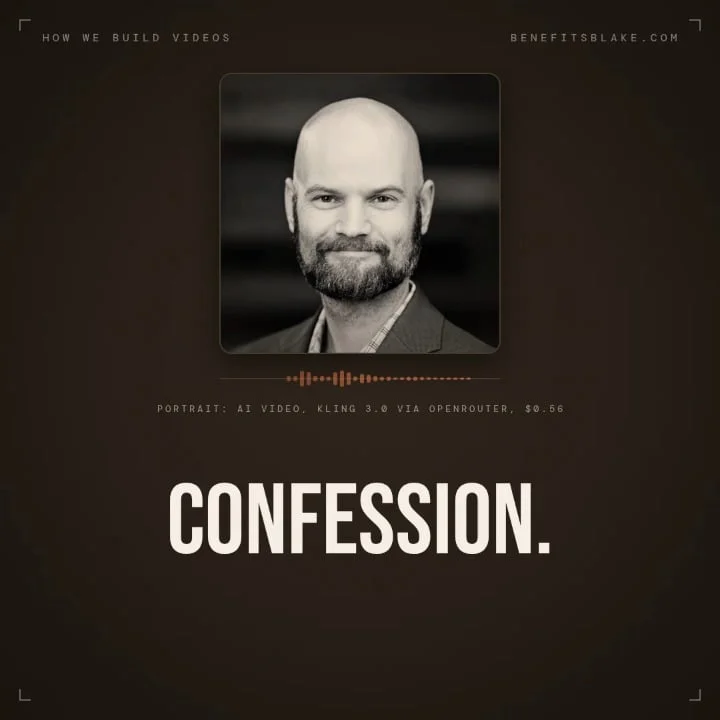
Build a 30 second motion graphics video that explains the process we use to build videos. \> This can follow the benefits Blake voice and brand - not for our usual audience so don't send them to the…
Full prompt
\> Build a 30 second motion graphics video that explains the process we use to build videos.

\> This can follow the benefits Blake voice and brand - not for our usual audience so don't send them to the website, maybe make a joke about not sending them there, but the idea is to showcase the video building pipeline by pointing at a repo or article, etc. Include an ElevenLabs voice-over. Use assets from our repo, feel free to use my headshot, pieces from other videos, etc. You have access to openrouter, maximum spend on open router is $9.99 for this project.

\> How good can you make animations with that spend and open router access?

\> It should be PERFECT and Professional, even if satirical.

\> No .MD, no shared repo, but a here's how and have fun!

Result is above after \~20 minutes.

P.S. Eleven Labs voice clone is from the Professional subscription, usually settles on whisper2 for voice model IIRC. Open Router spend was under $3.00, including 16:9, 9:16 and 1:1 shots generated (not cropped). With my usual pipeline (less open router graphics), including voiceover, runs about $2/finished minute of video...
 r/ Prompt available0:52
Research about [distillbook.com](https://distillbook.com) Make a dynamic 40-second motion graphic video explaining what distilbook is and showing how incredibly talented you are in motion design…
Full prompt
Research about [distillbook.com](https://distillbook.com)
Make a dynamic 40-second motion graphic video explaining what distilbook is and showing how incredibly talented you are in motion design it's your showreel for a resume go ahead.
 r/ Prompt available0:52
Research about [distillbook.com](http://distillbook.com) Make a dynamic 40-second motion graphic video explaining what distilbook is and showing how incredibly talented you are in motion design it's…
Full prompt
Research about [distillbook.com](http://distillbook.com)
Make a dynamic 40-second motion graphic video explaining what distilbook is and showing how incredibly talented you are in motion design it's your showreel for a resume go ahead.
Typography
All Typography videos 𝕏 Prompt available0:15
Return: the orange dot moves back through the halftone, graph and toggle. Match the final frame to the first so the video loops cleanly. </structure> <build> 1. One HTML file, 1920x1080 at 60fps.…
Full prompt
.
Return: the orange dot moves back through the halftone, graph and toggle. Match the final frame to the first so the video loops cleanly.
</structure>

<build>
1. One HTML file, 1920x1080 at 60fps. Compute every visual from time inside seek(t): no CSS transitions, timers or state carried between frames.
2. Use closed-form springs for the toggle, bouncing dot and graph. Draw the graph from the same spring function that moves the dot.
3. Animate letters individually for the
 𝕏 Prompt available0:05
Recreate this vertical kinetic-typography motion graphic from scratch, frame-accurate, and use the supplied original audio track unchanged (do not generate, re-time, or alter any sound).
 𝕏 Prompt available4:39
make a dynamic motion graphics music video with lyrics that shows what an incredible motion designer you are, like it's your showreel for a résumé. go all out. I included the song lyrics below the…
Full prompt
make a dynamic motion graphics music video with lyrics that shows what an incredible motion designer you are, like it's your showreel for a résumé. go all out.

I included the song lyrics below the prompt.
 𝕏 Prompt available0:20
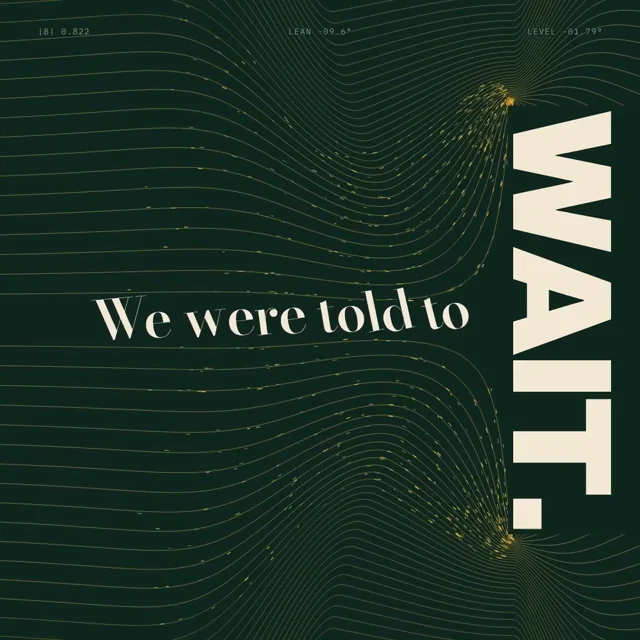
Create a 20.00-second kinetic spoken-word film titled “BUILD THE FLOOR.” Treat this as an original miniature speech staged inside a typographic field. Every line reorganizes the field of the frame.…
Full prompt
Create a 20.00-second kinetic spoken-word film titled “BUILD THE FLOOR.”
Treat this as an original miniature speech staged inside a typographic field. Every line reorganizes the field of the frame. The final declaration must stand on a field that finally lies flat.
Deliver one self-contained HTML file, 1080×1080, targeting 60fps, using SVG and/or Canvas. Embed all required assets.
ART DIRECTION
Background #102820. Letterforms # F4E9D5. Field lines and filings # F2B544. A magnetic-monument world: streamlines, flux, stillness at the null. Typography stays crisp; particles are atmosphere only. High-contrast serif for the speech, heavy grotesque for load-bearing words, restrained monospace for flux gauges. No horseshoe magnets, lightning, electron diagrams, or sci-fi arcs.
ORIGINAL SPEECH — EXACT WORDS, EXACT ORDER
“We were told to wait.”
“So we learned the weight of waiting.”
“Then one voice made room.”
“Then another.”
“Now the floor belongs to us.”
Do not attribute these words to any real person. No extra slogans. The complete speech must be understandable without audio.
CENTRAL VISUAL RULE
Words have assigned field roles. WAIT is a repelling plate; letterforms lean away from it, kerning compressed. WAITING is field lines sagging under load while filings stream toward the low side. VOICE is one pole reversed; the field reorganizes and letters stand upright along it. ROOM is a null point, a still eye inside the field. FLOOR is the field flattened into a horizontal plane. These roles must emerge from the actual letterforms responding to the field, not from illustrations.
STORYBOARD
0.00–3.00 — “We were told to wait.” The sentence leans away from the WAIT plate; streamlines compress against it. Available space pinches on the plate side; the sentence remains readable, pressed but intact.
3.00–6.50 — “So we learned the weight of waiting.” Reveal in phrase groups. Field lines sag deeper with each phrase. Filings — deterministic, hash-seeded per id and time — drift along the streamlines toward the low side and gather. The WAITING glyph hangs tilted inside the field as a suspended load.
6.50–10.00 — “Then one voice made room.” VOICE enters; one pole reverses. The field reorganizes: old streamlines retract by dash-offset while new ones draw in. Letters rotate upright along the new field — analytic rotation of whole glyphs, never path morphing. ROOM opens as a null point, a still eye; the counter of the O in ROOM is its center, and the next composition sits calm inside it.
10.00–12.50 — “Then another.” A second pole turns. The field becomes symmetric; every letter stands vertical. The baseline levels into the first perfect horizontal in the film. Hold absolute stillness for at least 400ms — even the filings pause.
12.50–16.00 — “Now the floor belongs to us.” The field flattens into a horizontal plane. The filings settle onto its surface as hairline grain. The final sentence locks in with the field; US aligns with the strongest flux line. Emphasis through alignment and scale only.
16.00–18.00 — Hold the complete declaration. One streamline pulses gently, then stills. No new text. No decorative motion.
18.00–20.00 — The camera travels along a flux line into the WAIT plate; filings rise as an occluding curtain filling the frame. Under full occlusion, return hidden elements to initial positions. Reveal the exact opening composition.
CHOREOGRAPHY
No dance beat; the field follows phrases, pauses, and emphasis. Phrase reveals follow reading order. Streamlines are precomputed curves revealed by dash-offset; filings are pure functions of (id, t), never simulated. Critically damped settling for the flattened plane. Available still space carries the emotional progression.
 𝕏 Prompt available0:20
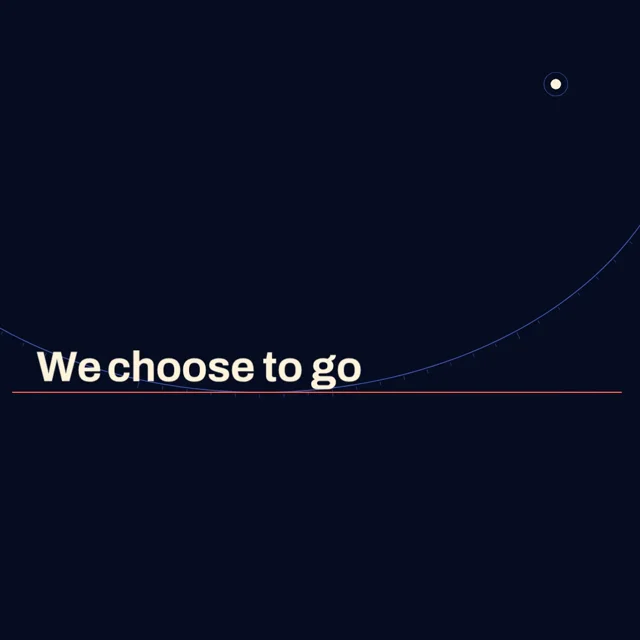
Create a 20.00-second kinetic typography film titled “ESCAPE THE ORBIT,” based on John F. Kennedy’s Rice University address, September 12, 1962. The central experience: a sentence discovers that it…
Full prompt
Create a 20.00-second kinetic typography film titled “ESCAPE THE ORBIT,” based on John F. Kennedy’s Rice University address, September 12, 1962.

The central experience: a sentence discovers that it can change its own trajectory.

Deliver one complete, self-contained HTML file. Composition: 1080×1080. Target: 60fps. Use Canvas, SVG, or embedded WebGL. Embed required assets and libraries. The film must work without audio.

EXACT DISPLAY TEXT
“We choose to go to the moon”
“[…]”
“not because they are easy,”
“but because they are hard”
Preserve this order. The bracketed ellipsis explicitly indicates omitted speech. Attribution is separate from the excerpt. No additional slogans.
ART DIRECTION
Background: midnight # 080D23.
Primary type: warm white # FFF4DD.
Trajectory: electric coral # FF654F.
Secondary orbital geometry: blue # 6685FF.
Use a broad, confident grotesque for the speech and a sharply drawn italic for the final emphatic word. Avoid the appearance of a spacecraft dashboard. No rockets, astronaut illustrations, starfield wallpaper, lens flares, or decorative telemetry.
The frame should resemble an exceptionally refined astronomical instrument that has become expressive.

CENTRAL VISUAL RULE
The baseline of the sentence is a trajectory.

At first it is trapped in a closed orbit. A rhetorical decision changes that orbit into an open path. The letters remain the same travelers throughout.
Use an abstract orbital metaphor; do not present invented mission data or imply a physically accurate flight simulation.
STORYBOARD
0.00–3.50
The opening excerpt appears across the center, large and horizontal. Reveal it in three meaningful phrase groups.
A single hairline ellipse passes behind the baseline. A small circular lunar mark occupies its distant focus.
Hold the completed phrase motionless for 700ms.

3.50–6.00
The camera pulls back. The previously straight baseline reveals a shallow curvature.

The phrase travels along the ellipse as a coherent unit. Keep its glyphs upright during the initial movement. Only after the reading hold may they progressively adopt the tangent of the path.

The viewer realizes the sentence is circling rather than advancing.
6.00–7.00
Show the bracketed omission in an uncluttered central opening. The orbital movement decelerates.

7.00–10.50
Reveal the next clause on the near side of the orbit. Its final word travels through one smooth, effortless arc and returns toward where it started.

This ease should feel elegant but unproductive. Avoid comic bouncing.

10.50–14.50
Reveal the final clause horizontally before transforming it.
At its emphasis, the ellipse opens at one precise point. The same tracked letter group takes the new tangent and departs.
Perform one deliberate 70-degree camera roll. Counter-rotate the active phrase so it remains readable while the orbital field changes orientation around it.

The trajectory sweeps from lower left to upper right. Acceleration is conveyed by expanding spacing between its trailing marks, not by shaking the camera.

14.50–17.00
The camera matches the departing phrase’s velocity. The phrase becomes visually still while the old orbit recedes beneath it.

The lunar mark enlarges into a restrained crescent through geometric overlap. The crescent brackets the destination without becoming a cartoon illustration.
17.00–20.00
Resolve into a spacious editorial composition containing the selected excerpt in reading order, including its omission marker.

The open trajectory runs through the margins and exits the frame. Hold the entire image completely still for the final 1.2 seconds.

CHOREOGRAPHY
Use only three camera operations: pullback, roll, velocity match.
Give each operation a rhetorical purpose.
Keep the currently read phrase at least 64px high in the 1080px composition.
Motion blur may affect trailing geometry, never the active text.
No word may begin its ornamental travel before its reading hold finishes.

IMPLEMENTATION
Represent the ellipse and departure path analytically. Blend position and tangent continuously at the departure point; no teleportation.
Use arc-length sampling for consistent spacing along curves.
Separate camera transforms from glyph orientation.
Cache glyph rendering and static geometry.
Expose window.ready and window. seek(t). Seeking must pause playback and render any time from 0 through 20 deterministically, including out-of-order calls.
Provide window.frame(n) for n=0…1199 at t=n/60.
Render t=20 as the final held composition.
Use no accumulated physics or runtime randomness.

QUALITY GATE
Inspect frames at 0, 3, 5, 7.5, 10.5, 13, 16, and 19 seconds.
Verify that the same tracked phrase visibly follows the changing trajectory.
Check the camera roll at phone size.
Inspect the departure transition for position or tangent discontinuities.
Return the complete HTML. If actual browser inspection is unavailable, state that briefly after the implementation; do not claim it was tested.
 𝕏 Prompt available0:21
Make a 20-second 16:9 motion graphics video that tells a little story with sound. For the first 12 seconds there is no sound at all: on a warm paper background, the words
 r/ Prompt available0:25
Make a 30 second motion design video of what's on your mind right now. Not what you think I want to see, whatever you're actually thinking about. Pick the style, the colours and the pacing yourself.…
Full prompt
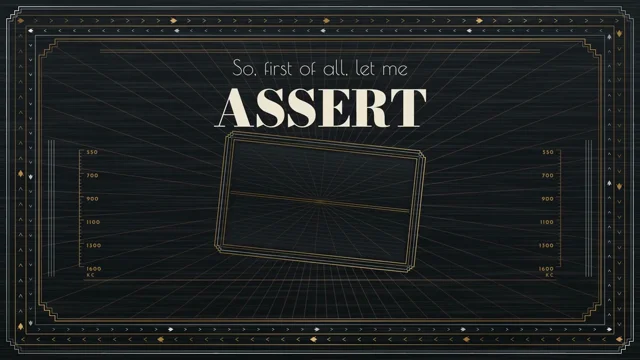
** Make a 30 second motion design video of what's on your mind right now. Not what you think I want to see, whatever you're actually thinking about. Pick the style, the colours and the pacing yourself. Open on the first thought and let one idea lead into the next. No voiceover, just type and motion.
 𝕏 Prompt available0:25
Create a 25.00-second recursive typography film titled "FEAR ITSELF." Franklin D. Roosevelt names fear as the thing that traps you: self-referential, nameless, paralyzing, a retreat that feeds…
Full prompt
Create a 25.00-second recursive typography film titled "FEAR ITSELF." Franklin D. Roosevelt names fear as the thing that traps you: self-referential, nameless, paralyzing, a retreat that feeds itself. Visualize this literally with an infinite recursive composition (the Droste effect). - For most of the film the camera falls endlessly inward through a typographic Art Deco frame that contains itself. - On "convert retreat into advance," the direction of infinity reverses. The fall inward becomes a climb outward, and the camera breaks out of the recursion into open space for the first time. ━━━━━━━━━━━━━━━━━━━━━━━━━━━━━━━━━━ 1. DELIVERABLE ━━━━━━━━━━━━━━━━━━━━━━━━━━━━━━━━━━ One complete, self-contained HTML file. 1920 × 1080. Exactly 25.00 seconds. Deterministic at 60fps: 1500 export frames. Rendering: Canvas 2D, or WebGL2 if needed for the Droste pass. Use vector type from embedded glyph outlines so every recursion level stays crisp. Embed all fonts and dependencies. Make no network requests. Silent autoplay preview, play/pause, and a scrubber, all outside the captured frame. Return a working implementation. ━━━━━━━━━━━━━━━━━━━━━━━━━━━━━━━━━━ 2. LOCKED TEXT ━━━━━━━━━━━━━━━━━━━━━━━━━━━━━━━━━━ Use exactly these words, in this order: "So, first of all, let me assert my firm belief that the only thing we have to fear is fear itself—nameless, unreasoning, unjustified terror which paralyzes needed efforts to convert retreat into advance." Capitalization may change. No added words. Final attribution (not spoken): FRANKLIN D. ROOSEVELT FIRST INAUGURAL ADDRESS · WASHINGTON · 4 MARCH 1933 The timing is authored. Do not claim synchronization with the 1933 recording. ━━━━━━━━━━━━━━━━━━━━━━━━━━━━━━━━━━ 3. THE CORE TECHNIQUE: EXPLICIT RECURSION, NOT FEEDBACK ━━━━━━━━━━━━━━━━━━━━━━━━━━━━━━━━━━ Define one "panel": an Art Deco composition with an inner window. The inner window holds an exact copy of the panel scaled by k = 0.28, positioned at an authored anchor that is not the panel's center, so the zoom path spirals. Every frame, draw the panel recursively at depth levels 0 to 7, from the deepest level outward, using the composite transform T^n. The infinite zoom: - Camera zoom z(t) = k^(−φ(t)), with the fractional part of φ cycling. - Because the image at level n+1 equals the image at level n scaled by k, the loop is seamless. - The camera transform's fixed point is the recursion's fixed point. Compute it analytically from the anchor and k. Panel content changes over time. Each recursion level shows the panel's content at a time offset of n × Δ (Δ = 0.35 s). The deeper layers are therefore earlier in the sentence, and words visibly "fall away" into the past as the camera passes through them. Do not use any frame-feedback buffer. The recursion is redrawn from vector data every frame, so seeking is exact. ━━━━━━━━━━━━━━━━━━━━━━━━━━━━━━━━━━ 4. VISUAL IDENTITY: 1933 ART DECO, RADIO AGE ━━━━━━━━━━━━━━━━━━━━━━━━━━━━━━━━━━ Palette: - Gunmetal # 14171A - Nickel # BFC3C2 - Brass # B48A4A - Cream # EFE7D3 - One accent: signal red # B3352A, used only for FEAR and TERROR The panel frame is a stepped Art Deco proscenium of nested chevrons and sunburst rays, drawn as thin double rules in brass and nickel. It looks machined and metallic, using linear gradients. Typography (embed OFL faces): - Poiret One (thin geometric deco) for connective words - a high-contrast Didone (Bodoni Moda Black) for the stress words - a monoline geometric sans (Josefin Sans Bold, wide tracking) for labels inside the frame Texture: subtle stationary brushed-metal noise attached to panel coordinates, so it scales with each recursion level. Never apply screen-space grain. ━━━━━━━━━━━━━━━━━━━━━━━━━━━━━━━━━━ 5. STORYBOARD ━━━━━━━━━━━━━━━━━━━━━━━━━━━━━━━━━━ 0.00–0.40 Black. 0.40–3.40 "So, first of all, let me assert my firm belief" A single panel faces the viewer, stable, with no zoom yet. It is the calm before the fall. - The words appear in the panel's upper band in Poiret One. - ASSERT and FIRM BELIEF are set in Bodoni, centered and upright. - A brass sunburst behind them gently turns, 4° total. 3.40–6.20 "that the only thing we have to fear" The zoom begins: slowly at first, then steadily. The camera falls toward the inner window. "the only thing we have to" occupies the frame's lintel. FEAR (in red) sits inside the inner window, so the camera is falling toward fear. 6.20–8.60 "is fear itself—" THE RECURSION REVEALS ITSELF. - Inside the window, the panel repeats with FEAR inside it, again and again. - At "itself," the camera's fall reaches cruising speed: one full recursion level every 0.9 s. - Every level's FEAR is the same word, receding: fear made of fear. - The em dash is drawn as a long brass rule that the camera passes through. 8.60–12.40 "nameless, unreasoning, unjustified" Three typographic decays, one per word, applied to the text inside the current outermost level: - NAMELESS: the letters of every visible word lose their identity. Their glyph outlines morph (by interpolating points along normalized contours) into blank Deco nameplates: empty rounded rectangles of the same width. - UNREASONING: the panel's ruled structure bends. Straight rules warp along a smooth sine displacement, and the chevrons lose their symmetry. - UNJUSTIFIED (the typographic pun): the word appears inside a fully justified four-line text block made of the sentence so far. On landing, the block literally un-justifies: the word spacing collapses, the right edge goes ragged, and the lines fall out of alignment. The block must visibly start justified. 12.40–15.60 "terror which paralyzes" TERROR (in red) fills the inner window at the next level. On PARALYZES, the zoom stops dead within 3 frames: the infinite fall freezes. Everything locks: - the sunburst rays stop - the deeper levels stop Hold 30 frames of absolute stillness, the paralysis. Only the word PARALYZES is visible as new, with a hairline brass frame snapping around it. 15.60–18.60 "needed efforts to convert" Effort: the panel's chevron frame acts as gears. The stepped Deco borders rotate in opposing directions, in small detented ticks of 6° each, held for 4 frames, like a mechanism being cranked. - NEEDED EFFORTS sits on the lintel. - CONVERT is set as a word that rotates 180° about its horizontal axis on landing. Draw the flip as a real foreshortening of the outline (scaleY through zero) with a nickel-to-brass shading change at the back face. 18.60–21.80 "retreat into advance." THE REVERSAL. - RETREAT appears inside the window. The camera's zoom direction reverses: φ(t) decreases, so the camera rises outward through the levels, and the deeper copies now rush toward the viewer. - As the camera exits level 0, the outermost panel frame opens: its two halves part like elevator doors, the first time any panel has been incomplete. - The camera emerges into open space for the first time in the film. There is a wide horizon of fine brass sunburst rays. - ADVANCE stands alone in Bodoni Black, cream, full width. 21.80–23.80 Final composition Hold on ADVANCE. The recursion is visible behind it as a small, receding framed object, now finite and behind us. The attribution appears at the lower edge. 23.80–25.00 Closure The sunburst rays retract to the vanishing point in sequence. Black by 24.90. Frame 25.00 must equal frame 0.00. ━━━━━━━━━━━━━━━━━━━━━━━━━━━━━━━━━━ 6. MOTION RULES ━━━━━━━━━━━━━━━━━━━━━━━━━━━━━━━━━━ The zoom rate φ'(t) is authored as a smooth curve: ramp in, cruise, a hard stop at PARALYZES, crank, reverse, release. - Text inside a level is readable while that level occupies 60–100% of the frame. - Each active word reaches readability at a level-scale between 0.7 and 1.0. - Recursion depth culling: skip levels smaller than 2 px, and skip levels larger than 8× the frame. - One principal action at a time. ━━━━━━━━━━━━━━━━━━━━━━━━━━━━━━━━━━ 7. ENGINEERING ━━━━━━━━━━━━━━━━━━━━━━━━━━━━━━━━━━ Use one declarative word timeline with id, text, order index, start, landing time, readable end, recursion level, and decay type. Give "fear" ×2 and "to" ×2 separate ids. The recursion level shown for any word is a pure function of t and φ(t). Expose: - window.duration = 25 - window.fps = 60 - window.ready - window. seek(t) - window.renderFrame(n) - window.cues: [{ id, word, start, t, end }] Seeded randomness only. Seeking in any order is identical. ━━━━━━━━━━━━━━━━━━━━━━━━━━━━━━━━━━ 8. AUDIO-READY STRUCTURE ━━━━━━━━━━━━━━━━━━━━━━━━━━━━━━━━━━ φ(t) is the film's tempo. Store it as editable keyframes in JSON, so a future version can lock one recursion level to one musical bar. The paralysis then lands on a rest, and the reversal lands on the drop. ━━━━━━━━━━━━━━━━━━━━━━━━━━━━━━━━━━ 9. QUALITY GATE ━━━━━━━━━━━━━━━━━━━━━━━━━━━━━━━━━━ Check these frames: 2.00, 5.20, 7.60, 9.40, 10.60, 11.80, 13.80, 16.80, 19.60, 21.20, 23.00, 24.95. - The text order is exact. - The recursion is seamless: compare frames one level-period apart during cruise, and confirm they are geometrically identical apart from the content time offsets. - The justified block is visibly justified before it un-justifies. - The freeze is truly static: 30 identical frames. - The reversal reads as the opposite direction. - Ascending and shuffled seeks match. - 0.00 and 25.00 are black. Return the complete HTML.