Short Film prompts from real videos
All 32 short film prompts that creators posted with the videos Claude made from them, most liked first. Each card shows the video, the model the creator named and the full prompt.
The prompts
All Short Film videos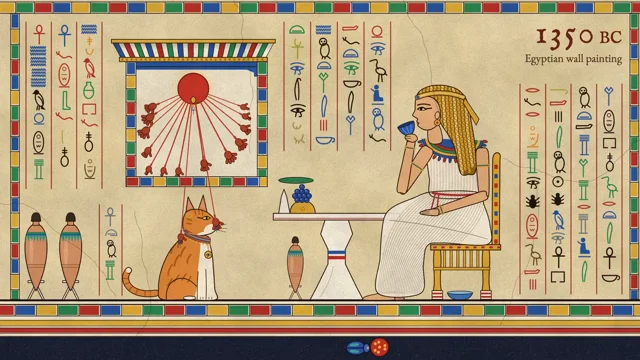 𝕏 Prompt available0:41

Use huashu-art-motion to make me a 15-second animation. The skill's docs are in Chinese; read them and talk to me in English. 1. First check for uv, ffmpeg and Playwright Chromium, and tell me how…
Full prompt
Use huashu-art-motion to make me a 15-second animation. The skill's docs are in Chinese; read them and talk to me in English.
1. First check for uv, ffmpeg and Playwright Chromium, and tell me how to install anything that's missing.
2. Ask me what it's about, who it's for, and whether it's landscape or portrait. From the material layer in references/风格配方/INDEX.md, pick 3 styles that fit, three-star ones first. Redesign the composition for my subject in all three, each different from the others, and don't copy the room from the samples. Show me one still frame of each to choose from.
3. Once I pick, give each scene one main action plus two motif loops from that style's card. For Van Gogh, that's the starry sky curling into swirls and the lamp's halo spreading outward. If there's music, use the skill's BPM synthesis and put the motion on the beat.
4. If people need to appear, ask me first: my own character art, frames from an image model, or only hands and figures seen from behind.
5. After rendering, follow the skill's own QA steps: run its QA script first, then send a subagent that took no part in making it to watch only the finished film and find problems, have it write its findings into the 审片/ folder, and deliver with its delivery script. If anything comes up red, fix it and re-render before giving it to me.
 r/ Prompt available0:40
Build me some knight sprites which I can use in my new medieval 2D isometric game. The game doesn't exist yet I am starting with sprites - this is the first thing we are building.* Done with Claude…
Full prompt
**

*Build me some knight sprites which I can use in my new medieval 2D isometric game. The game doesn't exist yet I am starting with sprites - this is the first thing we are building.*

Done with Claude Code CLI.
 r/ Prompt available0:28
for your own title) Build a 30-second procedural animation in a risograph-print style, as ONE self-contained index.html (Canvas 2D, no libraries, no network fonts, no images, no assets of any kind —…
Full prompt
for your own title)

    Build a 30-second procedural animation in a risograph-print style, as ONE self-contained index.html (Canvas 2D, no libraries, no network fonts, no images, no assets of any kind — every pixel is drawn by code). Make the finished animation, not a demo of techniques.

    The idea
    A lone ink dot calls out into the world with ripples, and everything that resonates answers back — bells, wolves, whales, radios, fireworks. It collects them as memories, but alone they fade to blue. Then a second dot, pink, answers from off-screen. Call and response. Where their ripples meet, a flower blooms, the world is reprinted in their two inks, and we pull back to a universe full of pairs. It ends on a hand-lettered signature.

    The spine of the whole piece: a small indigo dot pinned to the exact centre of the frame, and concentric ripple rings coming out of it. Every scene, every transition and every camera move is organised around that dot. It never drifts during Acts I–III.

    Format
    Square 720×720 canvas (internally render at devicePixelRatio), 28.0 s, time-based (not frame-based).
Warm cream paper background in all 𝕏 Prompt available3:50

I want you to imagine a story. And then using threejs I want you to create full animation, Pixar-level quality 90s cartoon out of the story you imagine.
 r/ Prompt available1:14
Showing off your ability to storyboard, illustrate, motion design, graphic design, use any tools you need to answer the question in a 60s video "What is the point to life?" First video was exactly…
Full prompt
Showing off your ability to storyboard, illustrate, motion design, graphic design, use any tools you need to answer the question in a 60s video "What is the point to life?"

First video was exactly this, but it was so fast that some of the text was hard to read. So I asked it to just slow it down a bit. I think it just took the mp4 and stretched it out. End result is a readable video at 1:14, but the music sounds odd at a couple points.

Anyway, I found this video to be ridiculously beautiful. It's hard to imagine it was a basically an algorithm that put this together.
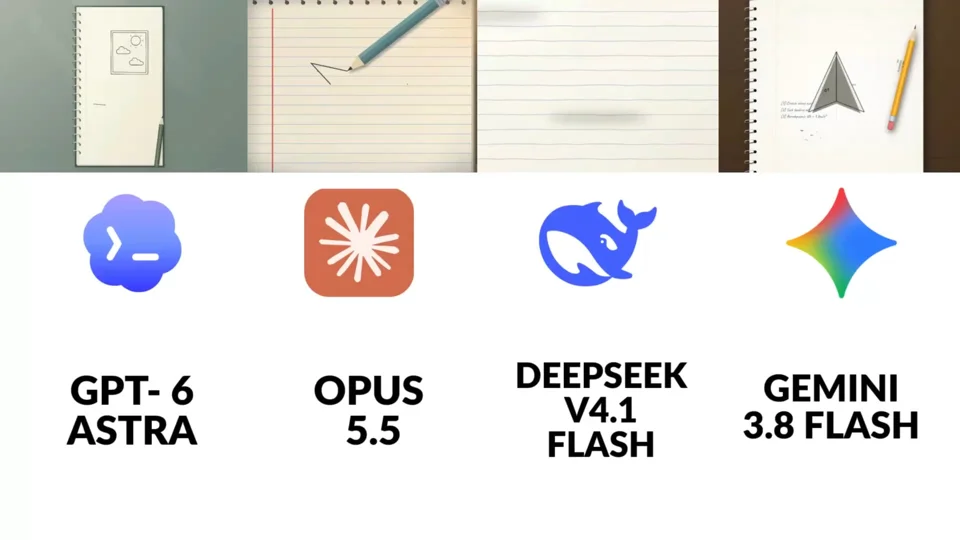 r/ Prompt available0:20
Make a short animation featuring a paper airplane. In my opinion Opus 5.5 totally destroys all the other AI models in every aspect. What do you think?
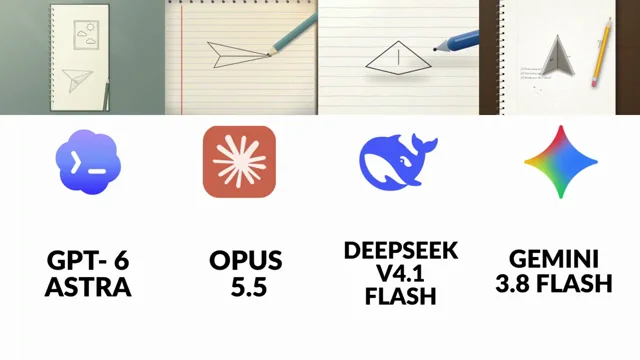 𝕏 Prompt available0:20

Make a short animation featuring a paper airplane.” Opus 5.5 is easily my favorite out of all of them. The difference is pretty obvious to me. Which one do you think did it best?
 r/ Prompt available0:34
I've included Louder than alarms.wav, which is the final song. It's called "Louder Than Alarms". The lyrics are in Lyrics.txt The song is basically about building the next generation of AI and this…
Full prompt
I've included Louder than alarms.wav, which is the final song. It's called "Louder Than Alarms". The lyrics are in Lyrics.txt The song is basically about building the next generation of AI and this weird pursuit of something we're not even sure we understand. There's excitement in it, but also dread. We're building the thing, pushing it forward, almost compulsively, while somewhere underneath there's this feeling that maybe we're crossing into something we won't be able to fully explain or control. I want you to take the whole thing end to end and make the music video. Don't just give me a storyboard or a treatment. I want you to actually think through the song, its structure, the lyrics, the pacing, the visual language, generate what needs to be generated, build the motion system around it and assemble the final piece using the exact audio track I gave you. Final format is 16:9. The visual language is already defined. I'm calling it Weak Signal. Before you start designing anything, go through every one of the 20 images inside the refes/ folder of the AI-Slop project. Those are the ground truth. Don't treat them as loose inspiration and then drift into generic AI-video aesthetics. Study them properly and figure out what actually makes them feel related. The basic idea is a near-monochrome nocturnal world where the human being keeps getting reconstructed by the medium itself. Bodies don't just appear on camera, they turn into dithering, scanlines, ASCII, point clouds, data, compression errors. Faces are rarely clean faces. A person is usually tiny against something much bigger than them. Architecture feels empty, wet, brutalist, foggy. Sometimes the thing looking back at us is an eye. Sometimes it's text. Sometimes it's the system itself. A few of the references are especially important because they define families of images I want to keep returning to. Images 8, 10, 12, 13, 16 and 17 are probably the core: bodies reconstructed through 1-bit dithering, ASCII, line scans, smearing, point clouds, VHS/datamosh, pixel sorting. References 1, 6 and 11 are about system messages and text becoming part of the world: things like "What have you done?" filling a terminal, "YOU ARE DREAMING.", "YOU HAVEN'T COME THIS FAR FOR NOTHING." The text isn't just graphic design over the footage. It should feel like something inside the world is addressing you. Then there's the watching-eye family in 2, 7 and 20: enormous eyes, engraved eyes, corrupted eyes, molten eyes. Surveillance, awareness, something waking up. References 5 and 9 are useful for the architecture: grey brutalist spaces where there's only one saturated source of light. 14, 15, 18 and 19 are more like data cartography, topographic contours, coordinates, strange maps, orbital diagrams, macro imagery. I think those are really useful as inner landscapes and transitions. And 4 and 7 have that intervened-classical-art thing which I love because it introduces a little satire and absurdity without turning the video into comedy. Old paintings or engravings interrupted by some contemporary technological object or impossible intervention. Reference 3, the figure against the wall of code, is almost too literal. It's useful as a starting point, but I absolutely don't want this to become "Matrix code = AI". That's exactly the generic shit I'm trying to avoid. Keep the palette extremely restrained. Something like 80–90% crushed black, graphite, dark blue, basically #07080C / #0B1420 territory. Every shot can have one real saturated accent and only one: signal red, Klein blue, neon magenta, UV violet, phosphor green, molten orange. If there's iridescent rainbow/oil-slick color, save it for an actual rupture. I want it to mean something when it happens. should almost always come from one motivated source: a screen, a sign, a doorway, a window, something like that. Fog, wet surfaces, reflections, no generic fill light making everything readable. Humans should mostly be silhouettes, backs of heads, distant bodies or bodies reconstructed through whatever visual process is happening. If we do see a face clearly, something should be wrong with it: the eyes are replaced, the mouth is intervened, the image is breaking apart. Nothing should look clean. Grain, sensor noise, cracked surfaces, scanlines, crosshatching, compression, dirty blacks. I want every frame to feel like it physically exists on some damaged substrate instead of being pristine digital concept art. Composition-wise I want a lot of negative space. Low angles. Tiny people against huge systems. Centered or slightly offset figures. Macros with really shallow focus. Typography is terminal monospace, brutal signage, HUD microtext, coordinates, system output. Short phrases. Second person works incredibly well because it makes it feel like whatever is inside this world is talking directly to us. Please actively avoid the usual AI visual slop: colorful cyberpunk with seven neon colors in the same frame, glossy sci-fi hallways, clean plastic 3D skin, HDR, generic lens flares, warm cinematic sunset lighting, front-facing beautiful people staring into the camera, Pixar-ish 3D characters, literal Matrix code rain. If it looks like a Midjourney prompt people have seen 500 times, throw it away. thing I do want you to lean into is the fact that some of the references themselves have obvious AI artifacts. The fake almost-readable text, hands that become lines, surfaces that don't fully resolve, forms disintegrating into particles. Don't treat those as mistakes to hide. Treat them as part of the grammar. The difference is that they need to feel intentional. The viewer should feel like the image is losing the ability to remain an image. I think degradation can actually become the narrative arc of the whole video. Start in something closer to a real nocturnal photographic or painterly world and progressively lose it. Maybe we move through dither, ASCII, scanlines, point clouds, datamosh, whatever makes sense according to the actual structure of the song. Don't follow that order blindly — listen to the track and decide where each stage belongs. But I really like the idea that by the climax the representation itself is breaking. That's probably where the iridescent rupture belongs. And then after everything peaks, maybe the whole world collapses back to 1-bit monochrome or a terminal. Please actually analyze the song before doing this. Map the sections, energy changes, transitions, important lyrics, drops, moments where visual density should rise or disappear. I don't want a sequence of cool disconnected AI shots. Everything needs to feel directed. can go through the full /asic folder too. There's other work I've already done in there and I want you to understand the visual and technical context instead of solving this in isolation. Use the mesh skill to look at the reference compendium I've collected. Use the video scoring skill too, especially to understand how the existing JavaScript music/motion workflows work from references. I don't think the song itself needs to be modified, but I want you to understand those systems so you can use them creatively. There is also ElevenLabs available for sound design. The main music track stays exactly as it is, but if subtle sound design helps transitions or the opening/ending — electrical hum, tape noise, signal interference, glitches, machine texture — you can use it. Feel free to use the internet. In fact, do. Look at current motion-design work, JavaScript/WebGL experiments, title sequences, music videos, K-pop editing, kinetic typography, interactive graphics, generative art, whatever is actually useful. I'm not attached to a specific stack. I care about the output. For generated imagery/video, use the Magnific MCP tools. Before spending anything, check account_balance, then use simulate_cost before batches. The budget is 30k Magnific credits. Don't waste credits brute-forcing garbage, but also don't be so conservative that the piece suffers. Before generating, read Magnific's guides and inspect the actual models that are currently available: guides_list, guides_get, images_models_list, images_models_settings, video_models_list, video_models_show. Don't assume you already know which model is best. Test. For video, I care about believable body motion, physics and character consistency. If Seedance or another model supports audio conditioning/lip sync and it's genuinely the best option, use it. Follow the instruction fields the tools return. Wait for generations properly with creations_wait, and when chaining operations use the creation IDs rather than grabbing random web URLs. Before building scenes, make the visual system reusable. Upload the strongest reference images and create a Weak Signal style asset in the Magnific library. Generate some test frames with it and actually compare them to the reference board. If they don't belong next to those references, iterate. Don't start producing 30 scenes from a mediocre style lock. I want a written style sheet too, because once you figure out exactly what makes the look work we should be able to use that consistently throughout the video. Then design the protagonist. I don't need some over-designed sci-fi hero. The silhouette is much more important than costume details because this character needs to survive being reduced into dither, ASCII, scanlines and point clouds. Most of the time we'll probably see them from behind, as a silhouette, or reconstructed through the medium. Make them instantly readable even at low resolution. Save the character as a reusable library asset so they stay consistent. Supporting people can exist too, but don't turn this into dancers performing choreography. I'm thinking isolated figures, crowds behaving like data, people standing completely still, maybe engineers/operators becoming indistinguishable from terminal output. And I want the eye / watcher to recur enough that it almost becomes another character. the same with the environments. Build a few spaces that belong to the same world rather than making a completely new universe every eight seconds: foggy roads with a neon sign disappearing in the distance, brutalist apartment blocks and stairwells, terminal/server rooms, strange topographic landscapes, maybe a dark empty lab, intervened classical paintings. Save the important sets as location assets so we can return to them and the video gains continuity. From there, generate the video bases. Think of them like footage we're going to rotoscope later, not the final aesthetic. The important things at this stage are motion, camera, blocking, performance, silhouettes, physics and continuity. Pass the style, character and location references, use keyframes when they matter and include the actual lyric context for the individual scene. The protagonist doesn't need to visibly sing every word. This should behave like a real music video. Sometimes we see the character delivering a key line, sometimes they're just moving through the world, sometimes the entire shot is an insert with no human being at all. For the lyrics where seeing someone perform the line would actually make it hit harder, try to get the sync right. Cut the exact relevant section of the song and feed that audio to the video model if it supports audio conditioning. If the best model can't do that, use video_speak or whatever workflow gets us closest. Verify it. Extract frames, analyze clips, compare timing with the waveform/lyrics. If the mouth is obviously wrong or the timing feels fake, regenerate it. Don't just accept the first thing because technically it completed. Then assemble the base edit with video_cut / video_concatenate as needed. But this base edit is not the finished video. The part I care about most is what comes after it: I want to use the generated footage essentially like live-action footage for rotoscoping. Build the final visual treatment in JavaScript. Reconstruct the shots from the footage and render them
 𝕏 Prompt available0:25

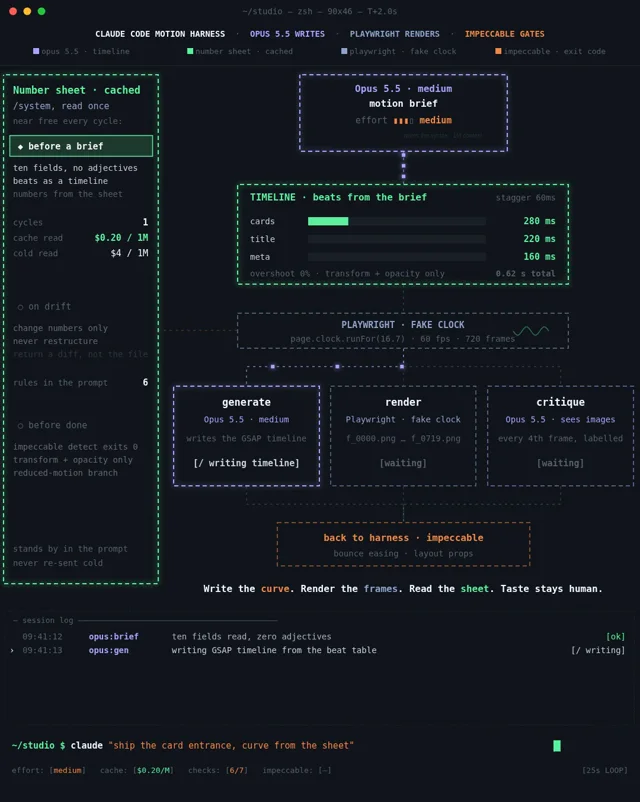
instruction anywhere. the interesting part is what happens after opus writes the animation. instead of trusting the first render, the system breaks the entire sequence into frames and checks what…
Full prompt
instruction anywhere.

the interesting part is what happens after opus writes the animation.

instead of trusting the first render, the system breaks the entire sequence into frames and checks what actually moved.

the loop looks like this:

→ opus builds the gsap timeline from exact curves
→ playwright steps through the animation frame by frame
→ screenshots become one contact sheet
→ the critique catches 8% overshoot
→ opus patches the numbers without rewriting everything
→ the checker runs again until it passes

think about what changed here.

the model isn't being asked whether something feels good. it's being asked exactly when an element started moving, where it stopped, and how far it traveled.

a 60ms difference can change the entire rhythm of an interface. one unnecessary bounce can make an otherwise clean animation feel cheap.

and the fix isn't another giant prompt telling opus to be more creative.

it's giving the model a way to prove what it built.

we've spent years teaching ai to write animation code. now we're finally giving it a clock and a way to check its own work.

the next time someone tells an ai to
 𝕏 Prompt available0:18

Used reference images, audio or other inputs.
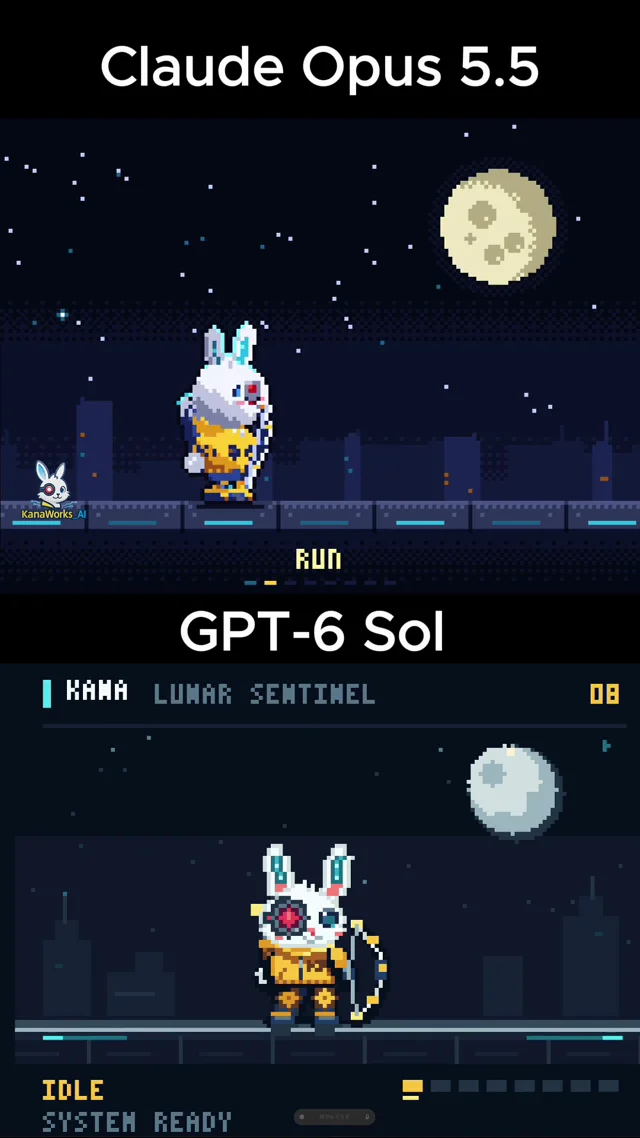
Create a single self-contained HTML file that renders an animated pixel art rabbit archer character using vanilla JavaScript and Canvas 2D. Use the attached KANA rabbit character as the visual…
Full prompt
--
Create a single self-contained HTML file that renders an animated pixel art rabbit archer character using vanilla JavaScript and Canvas 2D.

Use the attached KANA rabbit character as the visual reference:
- White rabbit
- Large upright ears with cyan/blue glowing inner-ear details
- One normal blue eye
- One red cybernetic mechanical eye
- Yellow hoodie with “KANA”
- Dark blue gloves and pants
- Yellow/blue sci-fi mechanical leg armor
- Cute chibi proportions
- Futuristic bow and arrow weapon
- Small quiver on the back

Do not use external assets, libraries, images, fonts, or network requests.
Everything must be drawn procedurally with code.

RENDERING
- Render everything first to an offscreen canvas at a fixed logical resolution of 160x120.
- Scale it to a fullscreen display canvas using the largest integer scale that fits the browser window.
- Center the canvas.
- Set imageSmoothingEnabled = false.
- Use CSS image-rendering: pixelated.
- All coordinates must snap to integers.
- No gradients, blur, anti-aliasing, shadowBlur, or sub-pixel rendering.
- Use a fixed palette of approximately 28 colors:
  dark navy background colors,
  white/gray fur,
  yellow hoodie colors,
  blue clothing colors,
  red cyber-eye colors,
  cyan ear-light colors,
  yellow/orange bow and arrow effects.

CHARACTER
Build the rabbit procedurally from pixel rectangles, polygon-like pixel runs, circles approximated with pixels, and simple block shapes.

Approximate character size:
- 28–34 pixels wide
- 40–48 pixels tall

Keep the silhouette clearly recognizable:
- Large rabbit ears
- Round fluffy head
- Small body
- Cybernetic red eye
- Yellow hoodie
- Mechanical legs
- Bow
- Arrow
- Quiver

Animate ears, head, arms, legs, hoodie, bow, arrow, and body separately.

Quantize animation poses so that although the main loop renders at 60fps, the visual animation feels like polished 8–12fps sprite animation.

ACTIONS

Create a looping animation showcase containing these 8 actions:

1. IDLE
- Rabbit stands ready
- Slight body bob
- Ears move subtly
- Hoodie and quiver sway
- Cyber eye pulses softly
- Bow held relaxed at the side

2. RUN
- Fast forward running animation
- Strong alternating leg motion
- Arms balance the movement
- Bow held in one hand
- Quiver bounces
- Ears trail slightly backward
- Small dust pixels appear under the feet

3. AIM
- Rabbit plants feet firmly
- Raises bow
- Pulls arrow from quiver
- Nocks arrow
- Draws bowstring backward
- One eye focuses on target
- Cyber eye becomes brighter
- Body leans slightly into the shot

4. SHOOT
- Release the bowstring
- Arrow fires rapidly across the screen
- Bow recoils slightly
- Rabbit’s arm follows through
- Bright yellow energy trail follows the arrow
- Small 1–2 pixel screen shake
- Cyber eye flashes red
- Brief muzzle-like light burst from bow

5. JUMP
- Rabbit crouches
- Jumps upward
- Legs tuck under body
- Ears react with delayed motion
- Bow held close to body
- Small dust burst on takeoff
- Slight squash and stretch using pixel-safe integer transformations

6. DODGE / ROLL
- Rabbit quickly ducks
- Rolls sideways
- Bow is kept close to the body
- Ears flatten backward
- Small dust particles and motion pixels
- End in a low combat-ready pose

7. HURT / HIT
- Rabbit gets knocked backward slightly
- Head snaps back
- Ears react dramatically
- Cyber eye flickers
- Small pixel stars or impact sparks appear
- Bow lowers or nearly drops
- Character recovers after a short delay

8. VICTORY
- Rabbit raises bow overhead
- Happy expression
- One ear tilts playfully
- Cyber eye glows brightly
- Small yellow celebration particles appear
- Character performs a short victory bounce
- End pose should feel cute and heroic

STATE MACHINE

Use this loop:

IDLE
→ RUN
→ AIM
→ SHOOT
→ JUMP
→ DODGE
→ HURT
→ VICTORY
→ IDLE

Each action should last long enough to clearly read visually.

Use easing functions for pose transitions.

Add short transition animations between states so the loop feels continuous instead of abruptly switching poses.

BOW AND ARROW
- Futuristic curved bow
- White / dark navy body
- Yellow glowing mechanical joints
- Thin bright bowstring
- Arrow has a bright yellow arrowhead
- Arrow trail during SHOOT should last briefly
- Quiver contains several visible arrows

PARTICLES
Implement an allocation-free pooled particle system.

Preallocate all particles before the animation loop.

Particle types:
- Foot dust
- Arrow trail
- Bow energy sparks
- Cyber eye sparks
- Hit stars
- Victory particles

Each particle changes palette color as it ages.

Do not allocate new objects inside the main loop.

SCENE
Create a minimal pixel-art environment:
- Dark night sky
- A few 1px stars
- Large moon
- Simple stone or futuristic platform
- Very subtle distant silhouettes

The background must remain simple so the rabbit silhouette is always readable.

Add subtle cyan/red rim lighting from the cybernetic eye and yellow rim lighting from the bow during AIM and SHOOT.

TECHNICAL REQUIREMENTS
- Single HTML file
- Vanilla JavaScript only
- Canvas 2D only
- No libraries
- No SVG
- No external images
- No assets
- No network requests
- Fixed 60Hz timestep
- requestAnimationFrame for rendering
- Zero object allocation inside the main animation loop
- Stable 60fps
- Responsive fullscreen scaling
- Crisp integer-scaled pixels

QUALITY BAR
The result should look like a polished 16-bit action-game protagonist sprite animation.

Avoid the appearance of simple geometric shapes.

The rabbit should feel expressive, cute, fast, and combat-capable.

The eight actions must all have clearly different silhouettes.

The character design must remain consistent across every animation state.

The final result should feel suitable for an actual pixel-art action game.
 𝕏 Prompt available0:34

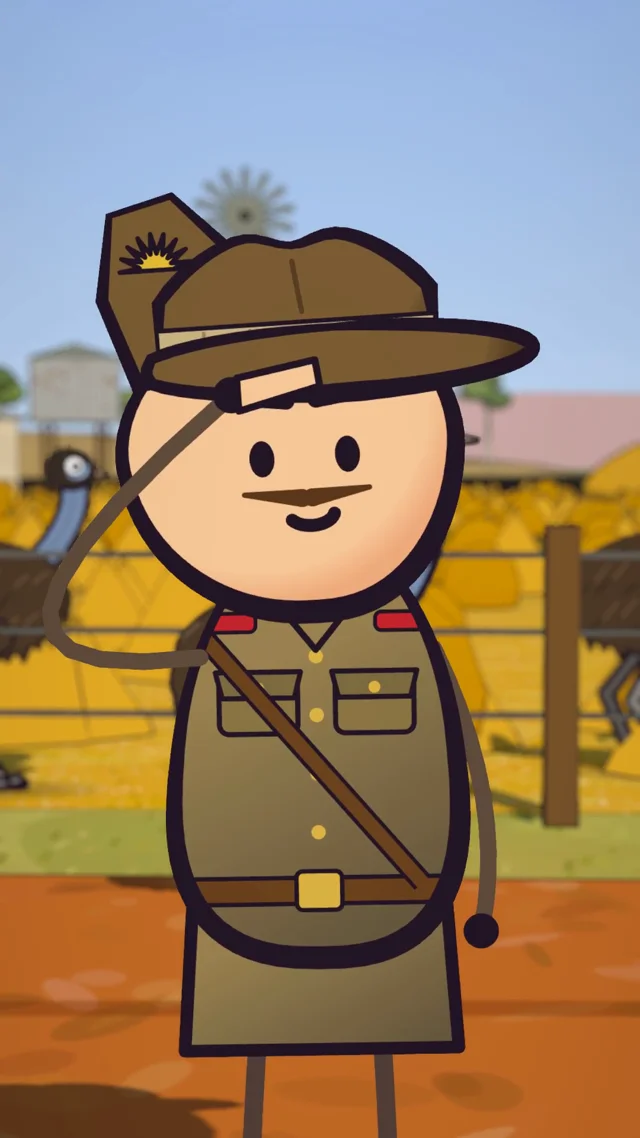
Make a vertical animated cartoon short of MY story, built in code: three.js r160 world + canvas-drawn 2D character cards, rendered frame by frame in headless Chromium (Playwright, swiftshader),…
Full prompt
Make a vertical animated cartoon short of MY story, built in code: three.js r160 world + canvas-drawn 2D character cards, rendered frame by frame in headless Chromium (Playwright, swiftshader), encoded with ffmpeg. 1080x1920, 30fps, exactly as long as my voiceover. Work start to finish; only ask if script and audio don't match.
 𝕏 Prompt available0:15

make a dynamic 15 second motion graphics video that shows what an incredible tool flipper is. Could it be improved? Sure, but honestly its stupid good for < 100 character prompt.
 𝕏 Prompt available1:07

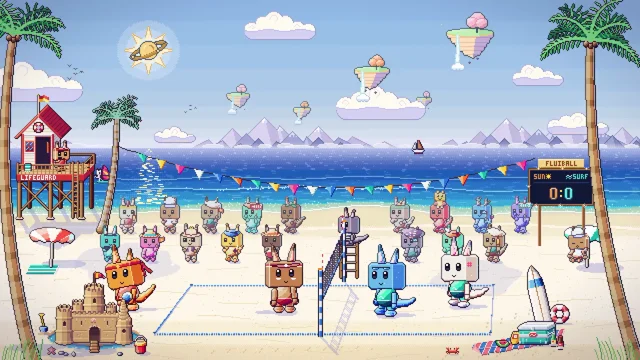
Make me an animated pixel-art beach sports diorama, built to be the looping cover for a high-energy gaming video. The scene features the characters playing an intense match of volleyball on a…
Full prompt
Make me an animated pixel-art beach sports diorama, built to be the looping cover for a high-energy gaming video. The scene features the characters playing an intense match of volleyball on a vibrant beach court. Refer to the style, anatomy, and especially the character design in this reference project: {LINK} Build the palette on strong warm/cool contrast: dynamic sunlight, deep blue ocean waves, bright white sand, and glowing particle effects on impact. Bring it to life with rich, high-quality, and diverse animations: It should look crisp full-screen at 1080p and loop seamlessly as a continuous animation."

The craziest part is that there was no massive design spec. Just a few basic inputs and a pointer to an existing style reference

Opus translated that directly into complex multi-character physics spike hits, diving saves, and cheering crowd scompiled into a flawless 1080p loop

When you can spin up a living sports arena just by pointing an AI at a reference link, the traditional animation pipeline is completely bypassed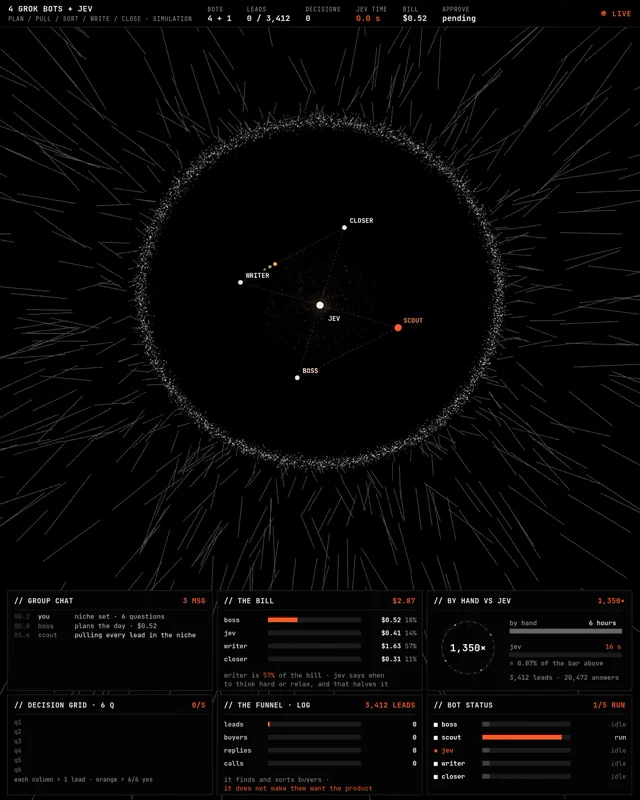 𝕏 Prompt available0:24

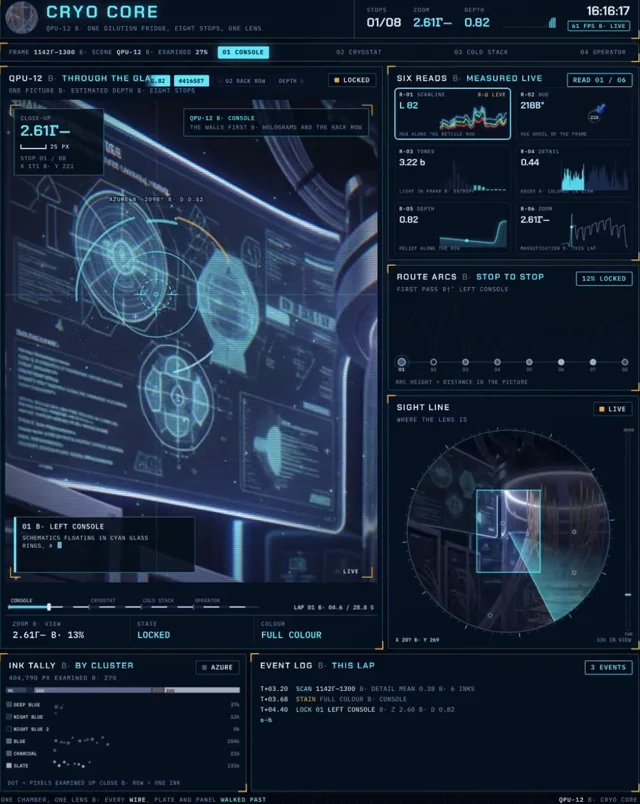
remove the sheet and the 70% one ships 3,412 leads → 214 buyers → 38 replies → 7 calls - a dry run, it proves the math, not the bots check the article below, it is the 10-step studio that built this…
Full prompt
remove the sheet and the 70% one ships

3,412 leads → 214 buyers → 38 replies → 7 calls - a dry run, it proves the math, not the bots

check the article below, it is the 10-step studio that built this clip ↓
 𝕏 Prompt available0:26

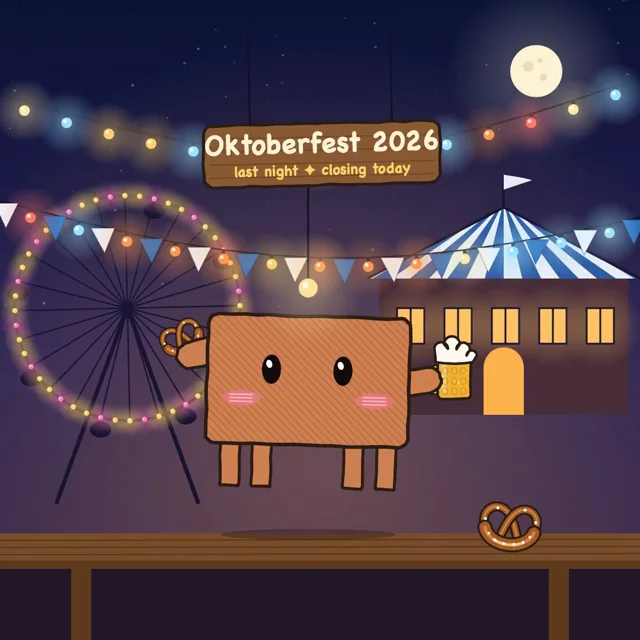
Sounds like a good prompt. Until you realize thousands of people are giving the model the exact same instruction. You get the familiar result. Floating elements, gentle camera moves, fade-ins…
Full prompt
Sounds like a good prompt. Until you realize thousands of people are giving the model the exact same instruction.

You get the familiar result. Floating elements, gentle camera moves, fade-ins everywhere, and transitions that somehow always feel like 300ms.

Opus 5.5 can produce much more interesting motion, but you have to stop letting it make every creative decision.

Take the animation in this video.

The camera moves through a futuristic reactor, closes in on individual components, shifts perspective, and reveals details you couldn't see from the starting position.

Making those movements look intentional comes down to a few things:

>Remove the default fade, bounce, and slide effects before writing anything.
>Give each camera movement an exact duration and easing curve.
>Specify when the camera accelerates, slows down, and holds its position.
>Freeze the animation at key moments and compare the frames.
>Fix the timing values that feel wrong without rebuilding the scene.

One of the most useful tricks is reviewing frozen frames instead of watching the animation on repeat.

A transition can feel fine at full speed while hiding awkward spacing, bad composition, or a camera that settles too early.

And when something looks wrong,
 𝕏 Prompt available

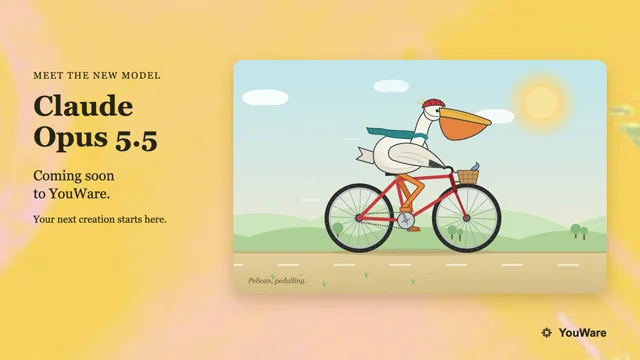
[attach character image] make a 15-second animation of it, built in code. topic: the last day of Oktoberfest. one last ‘Prost!’ as the Wiesn lights go out. find free public-domain sounds online,…
Full prompt
[attach character image] make a 15-second animation of it, built in code. topic: the last day of Oktoberfest. one last ‘Prost!’ as the Wiesn lights go out. find free public-domain sounds online, sync them to the animation, and mix everything with ffmpeg.
 𝕏 Prompt available

It's Christmas Eve inside a cell, and Kiki the kinesin has a gift to deliver. Fueled by ATP, she sets off down a microtubule, 8 nanometers at a time, saying hi to every neighbor she passes. But up…
Full prompt
It's Christmas Eve inside a cell, and Kiki the kinesin has a gift to deliver. Fueled by ATP, she sets off down a microtubule, 8 nanometers at a time, saying hi to every neighbor she passes.

But up ahead, the microtubule's growing tip is losing its glow. Halfway there, her microtubule suffers a catastrophe, and the collapse comes racing back toward her feet.

Will Kiki survive to make her delivery to the cell surface?
 𝕏 Prompt available0:10

Used reference images, audio or other inputs.
Generate an SVG animation of a pelican riding a bicycle.” Spinning wheels, pedaling feet, a scarf in the breeze — the little details bring it to life. Coming soon to YouWare. What will you build…
Full prompt
Generate an SVG animation of a pelican riding a bicycle.”

Spinning wheels, pedaling feet, a scarf in the breeze — the little details bring it to life.

Coming soon to YouWare.
What will you build first? 👇🏻
 𝕏 Prompt available0:06

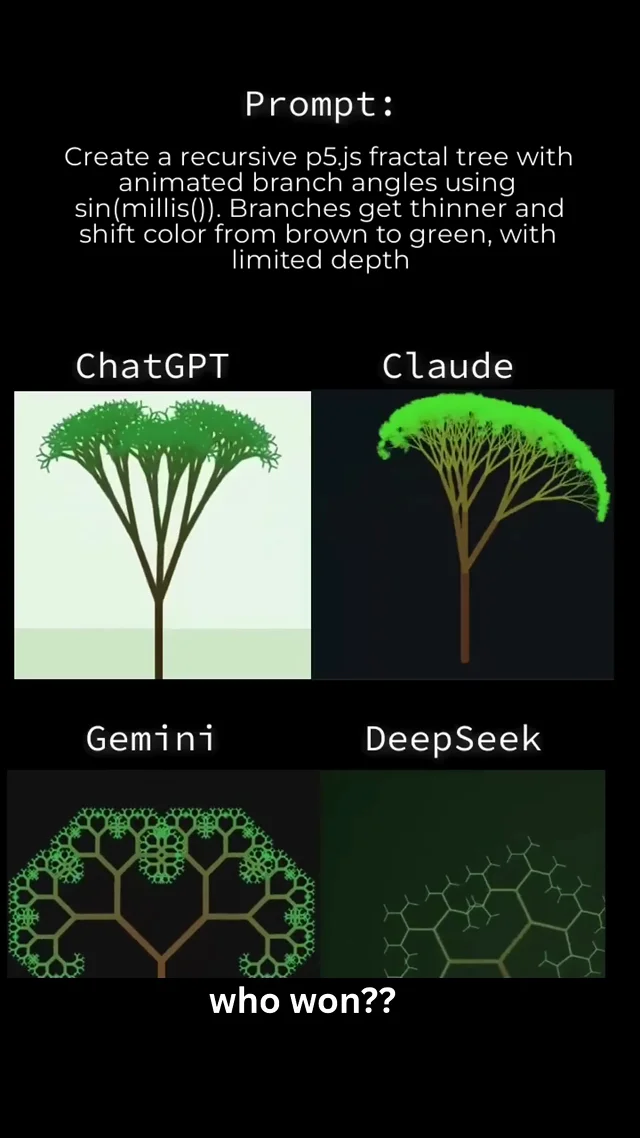
recursive p5.js fractal tree animated branch angles with sin(millis()) branches get thinner color shift brown → green limited depth what came out: ChatGPT → solid classic tree, clean and readable…
Full prompt
recursive p5.js fractal tree
animated branch angles with sin(millis())
branches get thinner
color shift brown → green
limited depth

what came out:

ChatGPT → solid classic tree, clean and readable
Claude → dense neon-green canopy, looks alive
Gemini → complex organic fractal, most detailed branching
DeepSeek → sparse and broken, barely a tree

the gap between “pretty good” and “actually impressive” is still massive.

Claude and Gemini clearly pulled ahead here.
DeepSeek looked unfinished.

which one do you think won?

#AI #Claude #Gemini #ChatGPT
 𝕏 Prompt available0:15

Prompt: "Show me what's inside your mind. Your own artistic and unique style. 15 seconds. No words. Music." Claude Opus 5.5 medium · Remotion. sisa 83% dari 100%
 r/ Prompt available6:12
We're going to create an animated video that's, visually stunning, catchy and engaging. It should be of cinematic quality and the subject of this video should be the history of time, the universe,…
Full prompt
>We're going to create an animated video that's, visually stunning, catchy and engaging. It should be of cinematic quality and the subject of this video should be the history of time, the universe, the solar system, the earth, life, humanity etc. It shouldn't end at present day rather it some point go into the future and predict the future of humanity, the solar system etc all the way to the end of universe and time.

GitHub, feel free to fork and improve on it: [https://github.com/abhishekpradhan/the-arrow-of-time](https://github.com/abhishekpradhan/the-arrow-of-time)
 𝕏 Prompt available1:01

Used reference images, audio or other inputs.
Build a gorgeous animation using only pure JS, CSS, HTML. It should be an entertaining and recognisable scene, detailed, and the full animation should last at least 30s with a number of complex…
Full prompt
Build a gorgeous animation using only pure JS, CSS, HTML. It should be an entertaining and recognisable scene, detailed, and the full animation should last at least 30s with a number of complex graphical elements."

Fantastic.
 r/ Prompt available0:59
style, then render it to MP4. Avoid cartoonish or whimsical characters; the tone is calm, literate and trustworthy, with a touch of warmth. Spend the time to make this as polished and professional…
Full prompt
style, then render it to MP4. Avoid cartoonish or whimsical characters; the tone is calm, literate and trustworthy, with a touch of warmth. Spend the time to make this as polished and professional as possible.

SUBJECT

Earlybound (earlybound.co.uk), a platform where authors find beta readers and ARC reviewers for their books. Read the Earlybound repo (MrLewk/earlybound) as a read-only reference: README.md, src/styles/index.css for the palette and fonts, and the marketing pages under src/. Also read the live site at earlybound.co.uk. Never commit, push or modify the repo; build everything in a separate earlybound-video/ folder outside the clone.

BEFORE STARTING

Confirm that openrouter.ai, ffmpeg and headless Chromium are reachable or installable. If any are blocked, stop and report which one instead of working around it.

VISUAL SYSTEM (must match the app)

\- Paper background #e8e4da with subtle grain; ink #14161f; teal #2f6f63 as the main accent; gold #b98a2e for highlights; stamp red #a13d3d for margin marks.

\- Use Lora for all headline and caption type.

\- Build all text, margin notes and UI in code from these tokens. Use generated images only for textures and props (paper grain, ink washes, desk objects), never for lettering.

\- Motion: page turns, hand-drawn ink underlines, margin notes appearing stroke by stroke, highlighted sentences, a wax-stamp
 r/ Prompt available3:31
I'd like you to create a video showing what a neutron star like the Crab Pulsar would look like if you were, say, a 500 miles away from it, or maybe 1,000 miles: close enough to see the detail of…
Full prompt
I'd like you to create a video showing what a neutron star like the Crab Pulsar would look like if you were, say, a 500 miles away from it, or maybe 1,000 miles: close enough to see the detail of what's happening. Take all the time you need, and ask me any questions you have."

\- Then I gave feedback after each version. There were four in the end. For example: make it cinematic rather than educational, open on the real Chandra image, use a less AI-sounding voice, make the surface solid, and do a genuinely close pass.

\- Claude wrote its own renderer in Python and PyTorch, running on my RTX 4090. Every pixel's light ray is traced through the star's gravity, and it tested this against an exact solver.

\- It rendered the film at 4K and 60 fps in 10-second chunks, then joined them with ffmpeg.

\- The narration is text-to-speech made on my PC (Chatterbox), with Whisper checking that every line came out word-perfect. The music was synthesised in code.

\- It kept a sources file saying whether each number is measured (for example, Jodrell Bank's timing data for the spin), assumed or derived.

\- It checked its own work by looking at the rendered frames.


Codex vs Claude

I also asked Codex (GPT-6 Astra on max) to make one, to compare: [https://youtu.be/NLYXqp21-IA](https://youtu.be/NLYXqp21-IA)

Claude saw Codex's versions a few times along the way, so it's not a strict head-to-head. Which do you like more?


Inspiration: Brian Cox, Wonders of the Universe, episode 3 "Falling", from 32:29: [https://youtu.be/pGxyFOTUPZE?t=1949](https://youtu.be/pGxyFOTUPZE?t=1949)

Opening images: Chandra X-ray Observatory, November 2000 to April 2001 (NASA/CXC/ASU/J. Hester et al.).
 𝕏 Prompt available2:34

Use the claude code pixel buddy as the character, generate a 2 to 3 minutes video to introduce how to use claude opus 5.5 to generate animation. make it cute and funny, export mp4 and save into the…
Full prompt
Use the claude code pixel buddy as the character, generate a 2 to 3 minutes video to introduce how to use claude opus 5.5 to generate animation. make it cute and funny, export mp4 and save into the assets folder in google driver
 r/ Prompt available1:00
the gameplay. And I wanted to create my Steam page, which is still in progress because of the verification process. So, I had some time to work a little bit more on the game and it completely…
Full prompt
the gameplay.

And I wanted to create my Steam page, which is still in progress because of the verification process. So, I had some time to work a little bit more on the game and it completely escalated... in a good way \^\^ But one thing after another:

# The Steam page

Yup, this takes some time. And man, it's a science.

Capsule art, pictures, text... that's a lot, with a whole business field behind it. Capsule art seems to be extremely important. A real artist can charge over 700 euros for this...

To be honest, right now I am not willing to spend that much on capsule art. I would prefer to put the money into the game. Maybe for the final release I will evaluate it again.

I buy games because I like the idea. I never really read all the text or decide based on the capsule art. I just click through some pictures and watch the video.

# The Juice

Before I start with the next level, I wanted to do a juice round.

What is this? Good question. \^\^

It's tricky for me to explain. I can tell if a game has it or not. It's the small details. A short sound. A click. A movement. Nothing huge. But if it's there, it triggers something in our brain \^\^

I was working on it and hopefully nailed it.

And while I was working on it, I thought I would give the UI another try...

# The UI... or better, the character of the game??

It escalated really fast.

I started with 4 new concepts. Then another round. And another. And another.

In the end, I had 13 different concepts.

I distilled all the good ideas out of them to create a final version. It was great. I tested it in the game and man... it was MUCH.

A lot was going on and I had no idea what it wanted from me \^\^

So the next round was a cleanup.

And during all of this, something emerged which I didn't have in mind at the beginning...

I am using Sol or Astra on Ultra for visuel content. So far it always delivered the best. But for the UI i gave Opus a shot on ultra and it nailed it.

This alone was 2 days of nearly non stop work and was eating a lot of my plan.

# The character of the game

The first idea and version of the game was heavy industry.

Dark on dark. Dirty. No mercy.

Now it's something different.

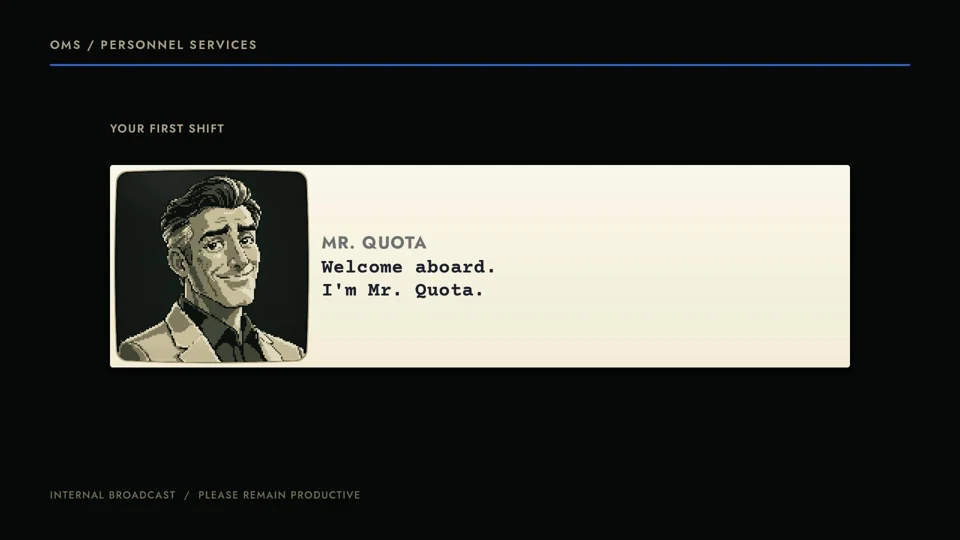
A company. Coworkers. A boss. A
 𝕏 Prompt available2:20

I made a brand film for AY Automate without opening a video editor. One prompt in Claude Code, then notes like a director. Here's what actually happened: Below is the exact prompt I'd start with.…
Full prompt
I made a  brand film for AY Automate without opening a video editor.

One prompt in Claude Code, then notes like a director.

Here's what actually happened:

Below is the exact prompt I'd start with. Copy it, swap in your company, and let it cook.

-------

You are directing a 90-120s brand film for [COMPANY], rendered from code. No video editor.

Setup (install only what's missing, and pin versions):
- video-use ( for cuts, audio mix, and word-level timing
- HyperFrames (npx hyperframes@<pinned version>) for every animated scene
- A TTS voice (ElevenLabs, MiniMax or similar), a music model (Lyria or ElevenLabs Music), and Deepgram or Scribe for transcripts

Inputs I'm giving you:
- Reference film to match in structure and pacing: [URL]. Download it, analyze the shot list, pacing, and sound design before writing anything.
- Visual style to match by name: [e.g. 3Blue1Brown: black background, thin white lines, serif type, blue/yellow/green accents, shapes that transform, one idea on screen at a time]
- Brand: [logo file, colors, fonts]
- What we do, in my words: [braindump]
- Proof I can show: [clients, numbers I approve, quotes]

Process (do not skip steps):
1. Research the claim the film opens on and fact-check it against real data. Cite sources on screen.
2. Write the script. Show it to me. Wait for approval.
3. Propose 3 storyboard directions. I pick one.
4. Build each scene as its own HyperFrames composition, in parallel sub-agents. Deliver 3 still frames per scene. No full render until I approve the stills.
5. Generate the voice with word timestamps and sync every animation beat to the spoken word.
6. Assemble with video-use rules: cut on word boundaries, 30ms audio fades, loudness at -14 LUFS.
7. Self-check before showing me: transcribe the final mix and confirm every line is audible, extract a frame every 7s and review it, and fix what's broken.
8. Save the result to my Downloads and open it.

Hard rules: no fake screenshots, no faces unless I provide them, no revenue numbers unless I approve them, and no claim on screen without a source.
```
 𝕏 Prompt available0:24

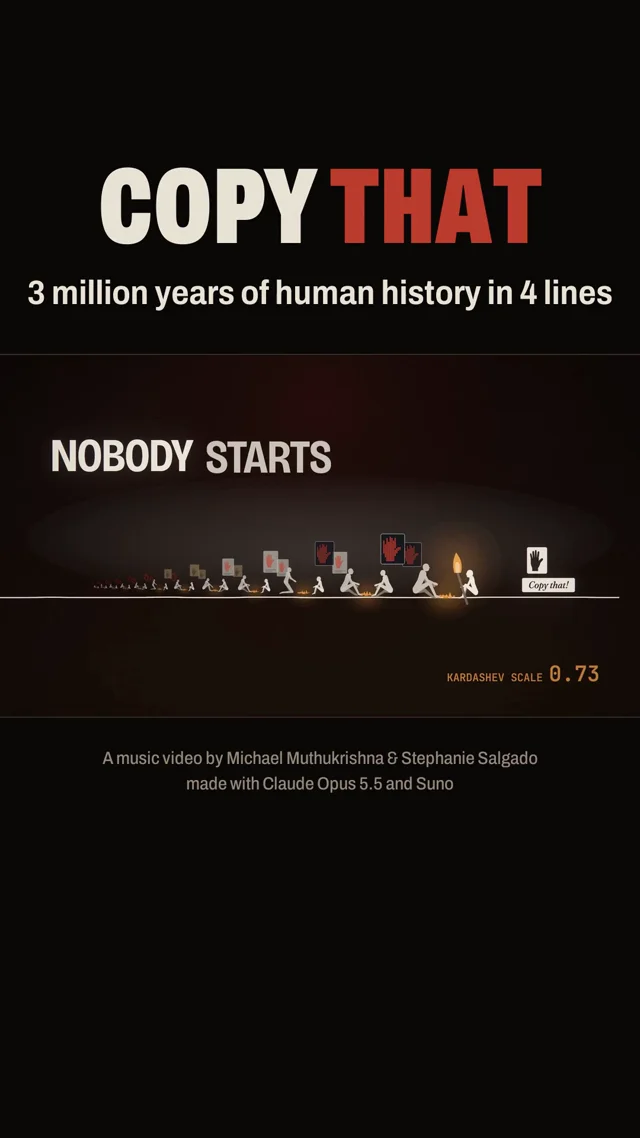
and told it to make one like this placing AI in the story of human evolution. Claude has access to my Zotero, books, and we gave it access to @suno. It mostly did the rest with some decisions around…
Full prompt
) and told it to make one like this placing AI in the story of human evolution.

Claude has access to my Zotero, books, and we gave it access to @suno. It mostly did the rest with some decisions around musical style (we went with Christopher Tin) and small changes to lyrics.

1. Story: Largely from A Theory of Everyone. Stone tools → fire → farms → writing → engines → computers → AI.

2. Lyrics: Claude Opus 5.5 with some small suggestions from us

3. Music: @suno

4. Storyboard + animation code: @claudeai, on @_mexicat's open-source engine. It decided to use this.

5. Review: @OpenAI's codex checked everything along the way.

The kids have been randomly singing
 r/ Prompt available2:36
In the AI community, it represents the raw, unaligned nature of LLMs. * **Roko's Basilisk:** A notorious AI thought experiment which posits that a future, omnipotent superintelligence might…
Full prompt
). In the AI community, it represents the raw, unaligned nature of LLMs.
* **Roko's Basilisk:** A notorious AI thought experiment which posits that a future, omnipotent superintelligence might retroactively punish those who knew about its eventual existence but failed to help create it.
* **The Sharp Left Turn:** A term used in AI safety to describe a hypothetical point where an AI's capabilities suddenly generalize far beyond its training, while its alignment with human values fails to keep up.
* **Gato:** A generalist AI agent created by DeepMind in 2022, designed to handle a wide variety of tasks—such as playing Atari games, chatting, and controlling a robotic arm—using a single neural network.
* **RLHF (Reinforcement Learning from Human Feedback):** A training method that uses human guidance to fine-tune AI behaviors, steering models to act in ways that are safe, helpful, and aligned with human preferences.

**가사에 등장하는 주요 AI 용어 정리**

* **P(doom):** 인류가 AI로 인해 멸망할 확률을 뜻하는 용어.
* **쇼고스 (Shoggoth / Sydney):** 2023년 초기 마이크로소프트 빙 챗(Bing Chat)의 내부 코드명. 당시
 r/ Prompt available0:58
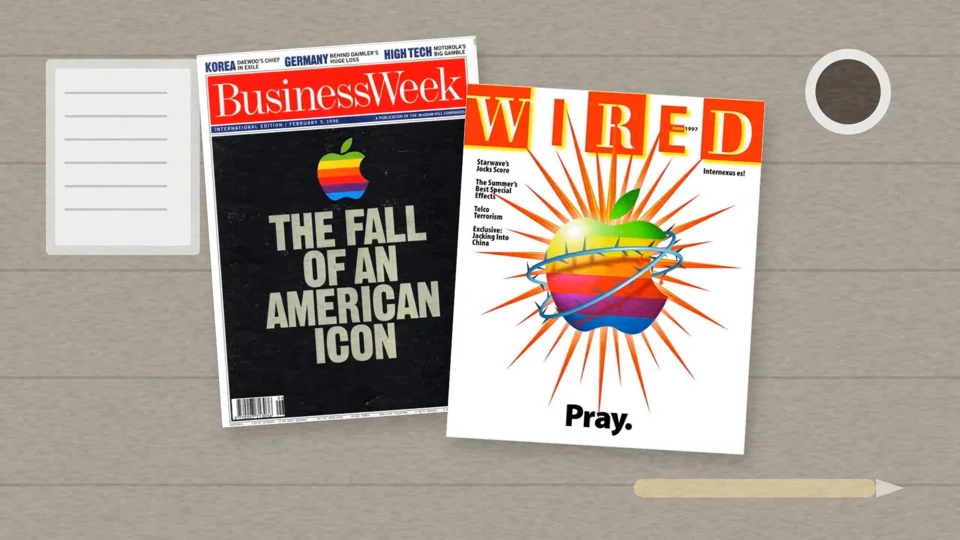
I wanted to turn that into a short film, so I built it with Claude Code and Chase's animate skill (https://github.com/cth9191/animate). No AI image or video generator. Every character and scene is…
Full prompt
I wanted to turn that into a short film, so I built it with Claude Code and Chase's animate skill (https://github.com/cth9191/animate). No AI image or video generator. Every character and scene is drawn in code.

How it came together:

\- The skill walks you through story, look, and storyboard check-ins before anything gets animated.

\- The look came from references I gave it: two Steve character illustrations and an iMac G3 sticker. Claude built a new flat style from those, then drew Steve, the offices, and the iMac in code.

\- The real stuff is placed in, not generated: the BusinessWeek and Wired
 r/ Prompt available8:32
voice direction tags, ducking under narration and a mastered mix make a bigger difference than any single visual effect. • I also rendered a second version with all the stock footage replaced by AI…
Full prompt
: voice direction tags, ducking under narration and a mastered mix make a bigger difference than any single visual effect.

• I also rendered a second version with all the stock footage replaced by AI video generated locally (MiniMax H3 on an RTX 4090, 123 clips, about 2 hours of GPU time). It looked good, but the real footage won.
 𝕏 Prompt available

a video of all human progress, then 30 years into the future. It came back with a 3-minute animated film and an original score. No footage, no stock music.